01 — ONE PLATFORM

One Platform. Every Stage of the Race.

ENCY connects every stage of programming in one seamless environment — helping teams move from design to production faster, without switching between disconnected systems.

  • CAD/CAM/OLP
  • CNC + ROBOTS
  • BEST-IN-CLASS USER INTERFACE

02 — MACHINE AWARENESS

The Machine Is in the Plan from Lap One.

With the machine’s digital twin built in from the start, ENCY identifies risks early and automatically adapts tool motion to real production conditions.

  • DIGITAL TWIN
  • COLLISION AVOIDANCE
  • FEWER PROGRAMMING LOOPS

03 — ADVANCED SIMULATION

See Every Move Before the Green Light.

ENCY simulates the complete machining process in real time, giving you the visual feedback needed to verify, adjust, and approve every move before production begins.

  • SOLID + VOXEL
  • REAL-TIME STOCK
  • G-CODE VERIFICATION

04 — FREEDOM OF MOTION

Complex Motion. One Clear Racing Line.

From multi-axis CNC machines to industrial robots, ENCY transforms demanding geometry and complex kinematics into smooth, controlled, production-ready motion.

  • MULTI-AXIS CNC
  • INDUSTRIAL ROBOTS
  • POST PROCESSORS
  • MACHINE SCHEMAS

05 — TECHNOLOGY INDEPENDENCE

Built In-House. Always a Lap Ahead.

Because ENCY’s core technologies are developed entirely in-house, the platform can evolve faster, respond directly to users, and move beyond third-party limitations.

  • IN-HOUSE TECHNOLOGY
  • FASTER INNOVATION
  • NO THIRD-PARTY LIMITS

Catch ENCY 3.0 if you can

See What’s New from the World’s Fastest-Growing CAD/CAM Brand.

WHAT’S NEW

A Fresh Look.
A Better Drive.

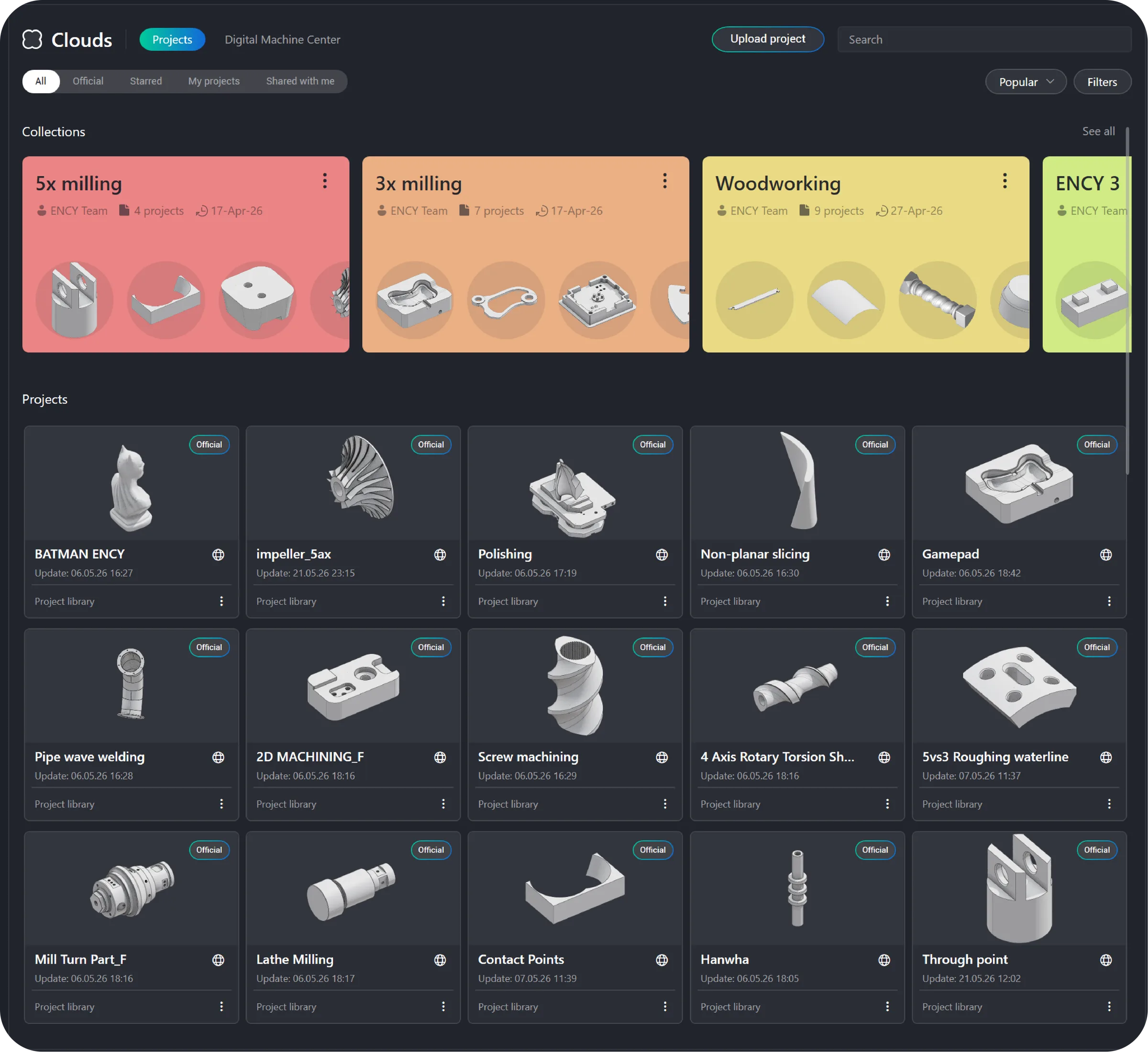
ENCY 3.0 goes beyond a fresh look. The new Home Page brings project collections, faster navigation, the Extension Store, Digital Machine Center, and built-in license management. A refreshed Inspector adds smarter controls and user defaults, while toolpath recalculation controls speed up daily work.

  • New home page
  • Extension store
  • Digital machine center
  • License management

Four Breakthroughs.
One High-Performance Platform.

Follow the circuit as your marker advances through the innovations driving ENCY 3.0 forward.

New Tool Assemblies

Complete setups, live in project context

Advanced 3D Finishing

One operation, every finishing strategy

Turbomachinery Pro Package

Dedicated multi-axis blade finishing

Smart Feeds & Speeds

Optimized values, sent to the operation

Turn 01Live product capture

From Machine to Cutting Edge. One Smarter Setup.

Complete setups, live in project context

ENCY 3.0 introduces a project-based tooling architecture built around complete Tool Assemblies. Match tools to operations, swap adapters or positions, and edit dimensions in the 3D context of the part and machine. Create complex components or import them from manufacturer catalogs.

Turn 02Live product capture

Combo Finish: The Racing Line to a Flawless Finish.

One operation, every finishing strategy

Combo Finish combines Plane, Waterline, and Scallop in one operation, choosing the best strategy for shallow and steep areas. Zone smoothing, toolpath merging, and parallel calculation deliver cleaner paths with fewer transitions, consistent surface quality, and shorter cycle times.

Turn 03Live product capture

Blade Machining: Precision Through Every Turn.

Dedicated multi-axis blade finishing

Part of Turbomachinery Pro alongside Impeller Machining, Blade Machining delivers dedicated multi-axis finishing for airfoils, roots, hubs, and blade edges. Purpose-built strategies, controlled tool contact, and bend compensation ensure stable motion, even tool wear, and a consistent finish.

Turn 04Live product capture

Feeds & Speeds: Tune Every Cut for Peak Performance.

Optimized values, sent to the operation

Reengineered from the ground up, the Feeds & Speeds Calculator uses the selected tool, material, and cutting method to calculate cutting speed, RPM, feed, and power. Work with manufacturer or custom datasets, fine-tune the load, and send optimized values directly to the operation.

NEW MODULE

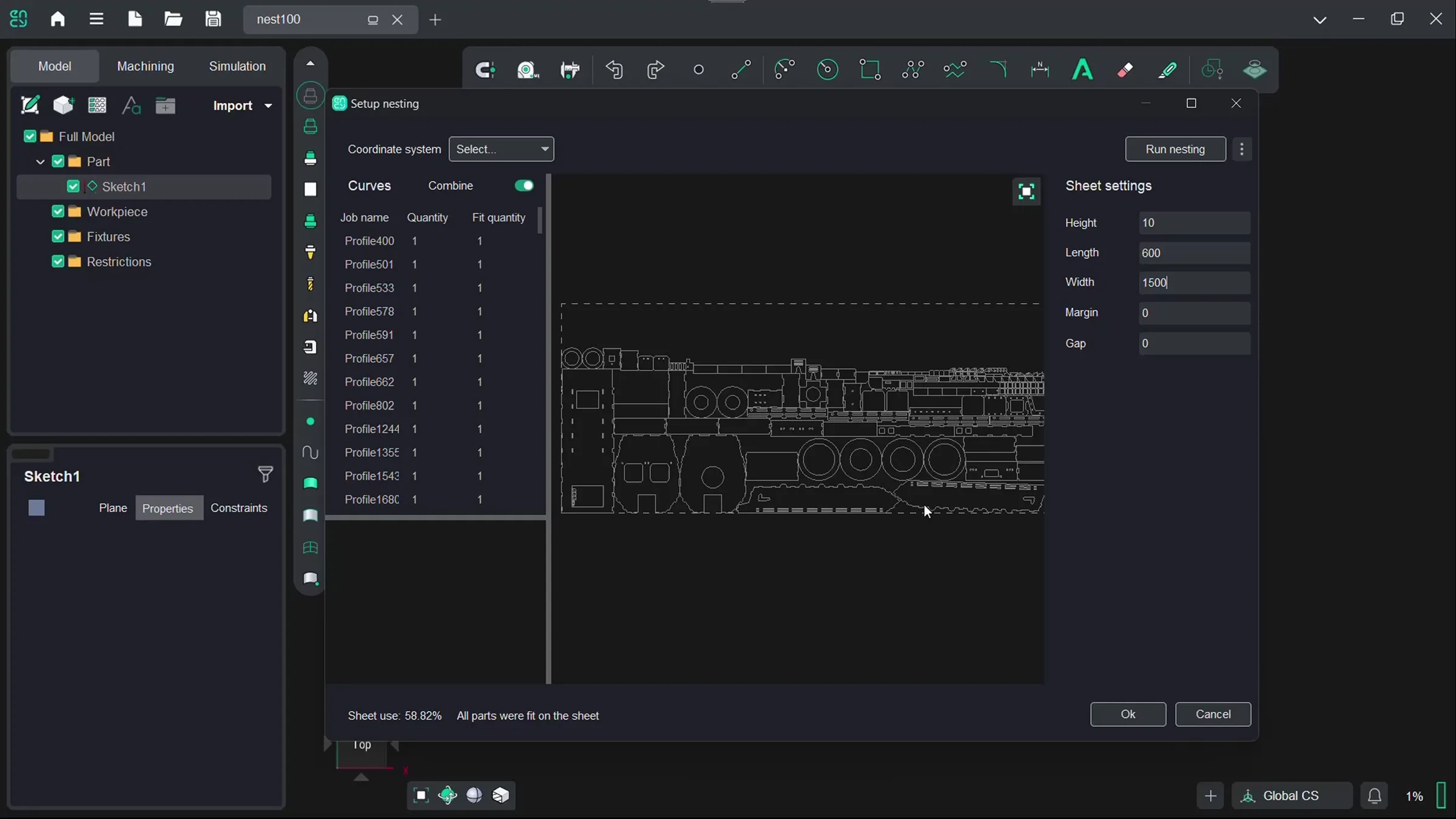
Nesting:
Put Every Part in Pole Position.

Built into ENCY Design, automatic Nesting arranges contours across sheet or stock material to maximize utilization and reduce scrap. Set spacing and rotation for laser, plasma, waterjet, or oxy-fuel cutting, and let ENCY find the most efficient layout.

Five More
Ways to Keep
Production Moving.

ENCY 3.0 adds smarter collision avoidance, intelligent feature recognition, map-free robot programming, advanced non-planar deposition, and new modeling tools — all helping production move faster.

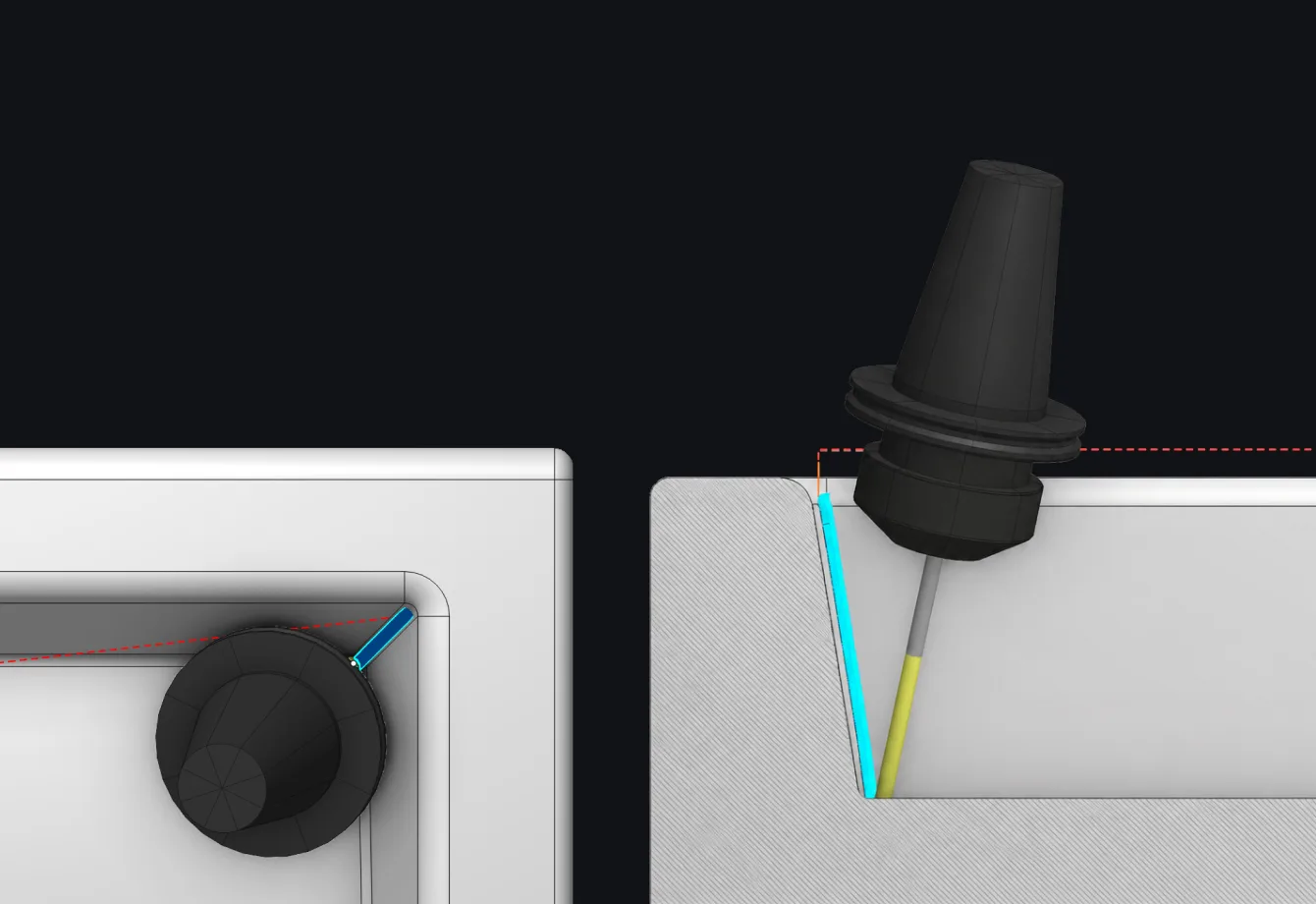
Tool holder tilting clear of a pocket wall, shown in two views with the toolpath

Adaptive Tilting: Steer Clear. Keep Cutting.

Adaptive Tilting detects holder collisions and steers the tool clear by tilting it simultaneously along two axes. It converts 3-axis toolpaths to controlled 5-axis motion where needed and protects links between passes — delivering safer, smoother trajectories with fewer interruptions.

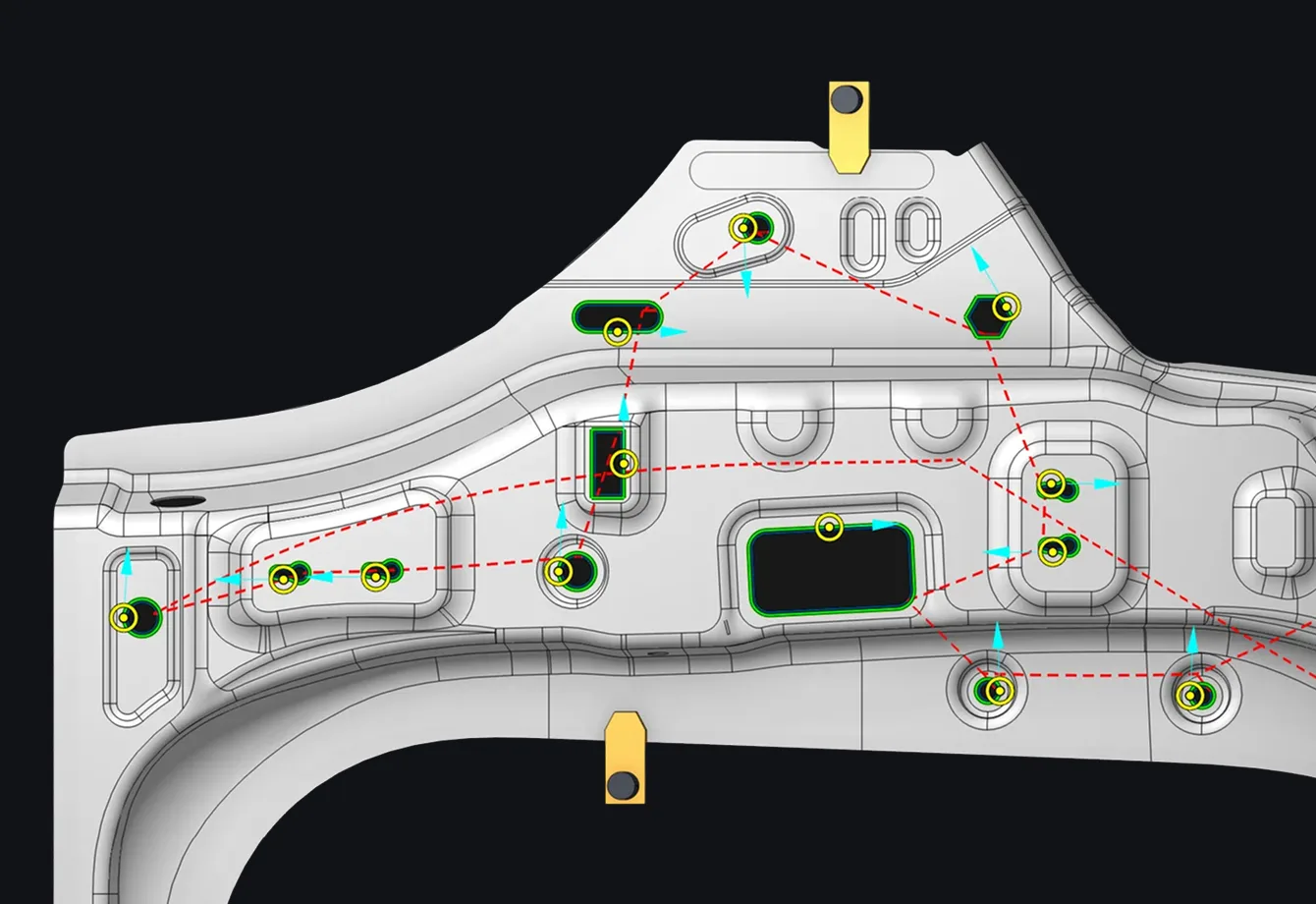
Machined part with recognized holes and slots outlined in green and a dashed traverse path between them

Recognize Features: Read Every Corner. Run Smarter Code.

Recognize Features converts circles, slots, polygons, keyholes, and other contours into intelligent features in 6D Contouring — especially useful for laser cutting. It replaces long line-and-arc sequences with compact CLDATA commands and lets you filter, edit, or reposition features before calculation.

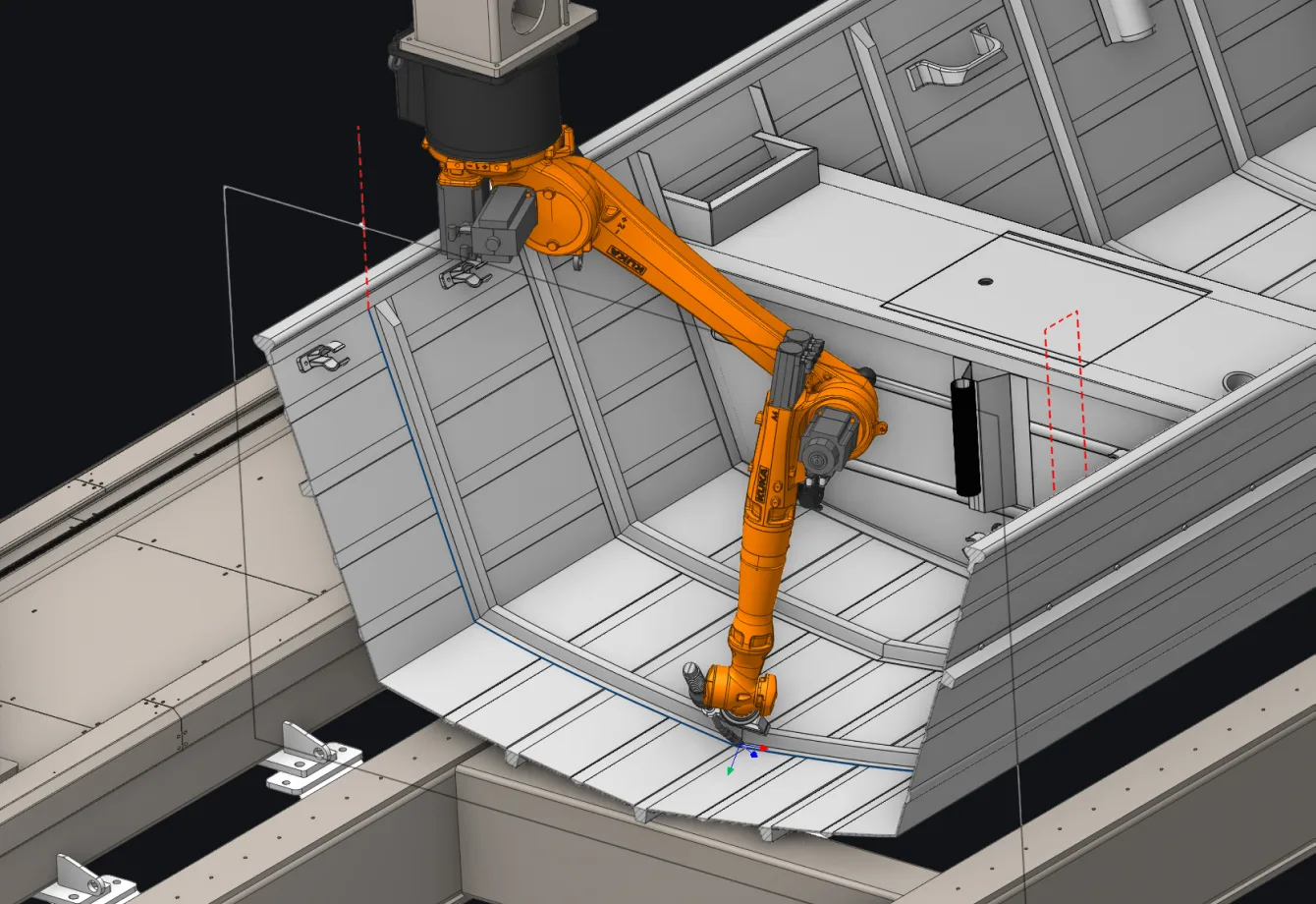
Industrial robot arm machining a large sheet-metal panel along a computed trajectory

Smart Motion: Stay on Track. No Map Required.

Improved Smart Motion generates reliable robot trajectories for 5D and 6D operations without requiring an Axes map. ENCY keeps motion within axis limits while avoiding singularities and collisions, with optional map-based fine-tuning — reducing setup and accelerating the path to production.

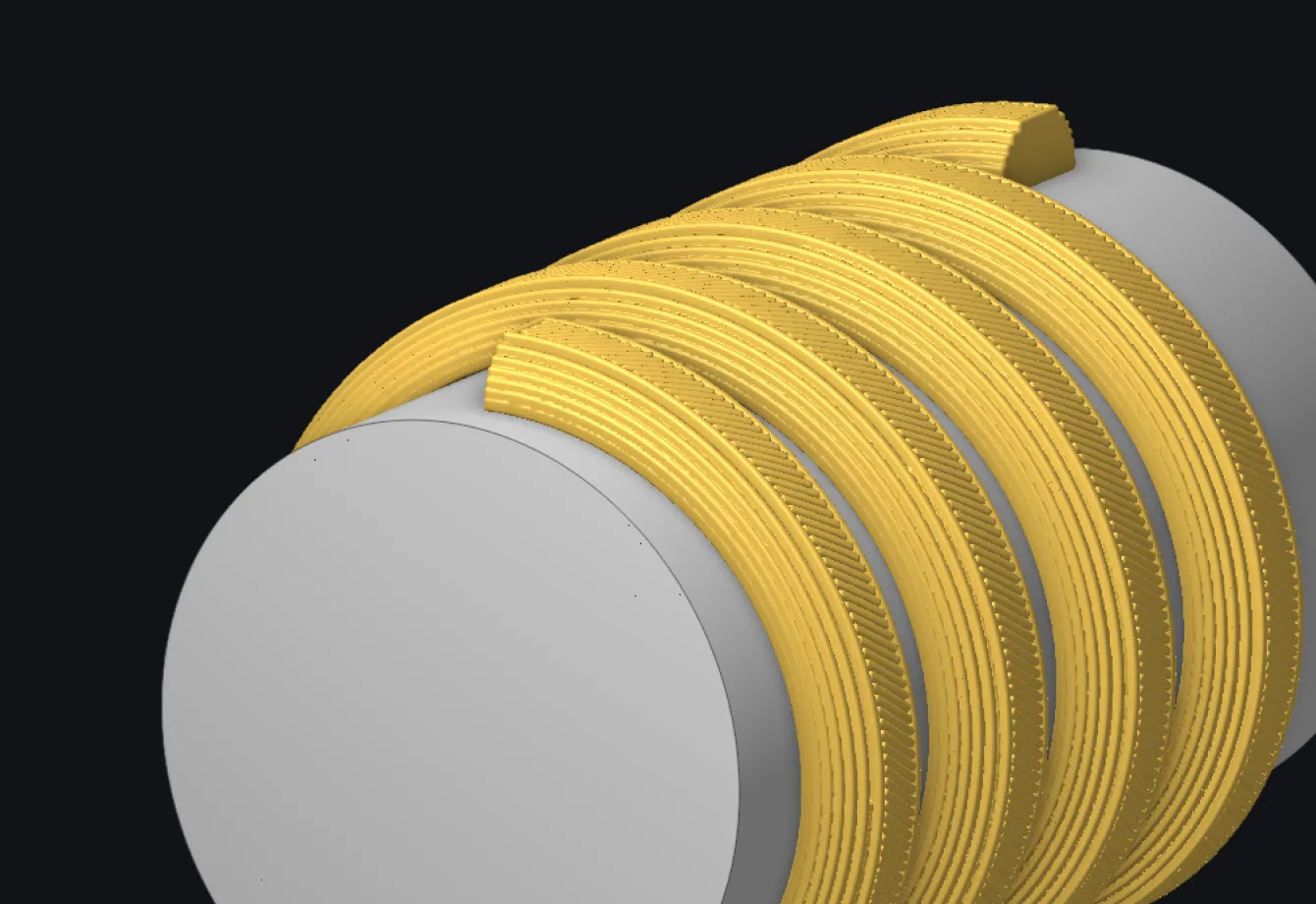
Cylindrical part built up by helical additive slices laid down in yellow bands

Additive Manufacturing: Power Through Every Layer.

ENCY 3.0 expands non-planar additive manufacturing with Radial Slicing for closed, partial, and helical geometry, seam gaps, and custom infill angles. Power control and Maximum Layer Time stabilize deposition and adjust feed automatically — helping prevent cold joints in concrete 3D printing.

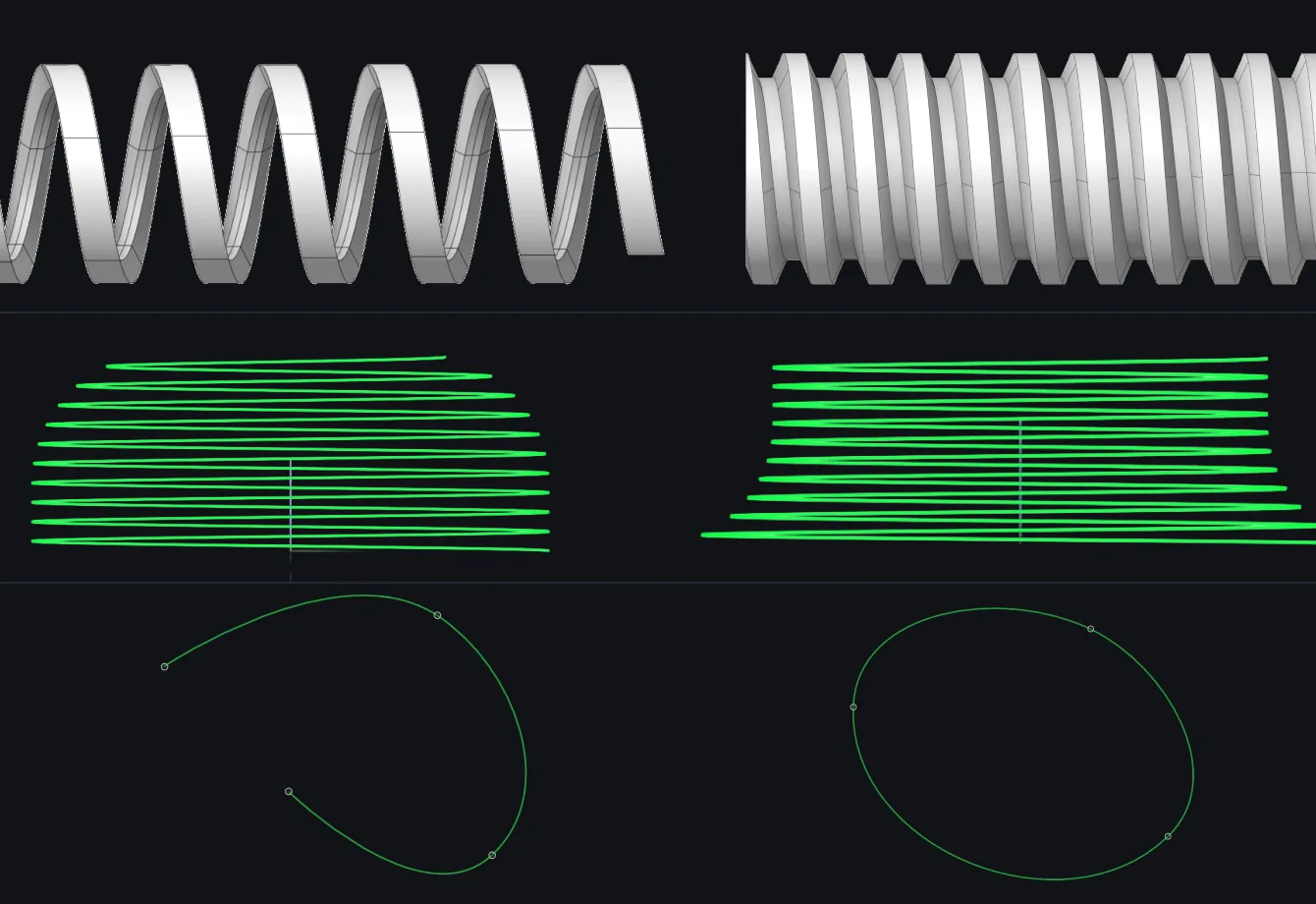
Coil and helix solids with green spline curves showing runout and a closed spline

Design Enhancements: Take Control of Every Curve.

ENCY Design expands 3D modeling with the new Coil tool, Start Runout and End Runout options for Helix, and a Closed option for splines.

Automation

Record the winning line.
Add more power
when you need it.

Macros capture repeatable workflows as editable automation, while the Extension Store makes new capabilities easy to discover, install, and manage. Together, they put ENCY 3.0 on the fast track toward a more extensible, agentic CAM platform.

Macros / record & replay

Macros: Record Once. Race Ahead.

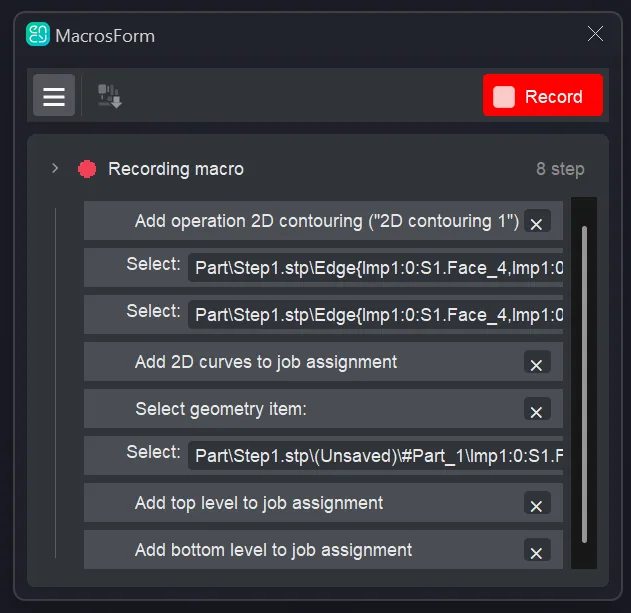
Record an ENCY workflow once and replay it across similar jobs. Macros capture operations, geometry assignments, selections, and project settings as a runnable extension. Edit each step, share the workflow with your team, or use the generated source code to build custom automation.

ENCY macro recording interface with captured workflow steps
Extension Store / browse & install

Extension Store: Your Fast Lane to More Capability.

The new Extension Store brings ENCY add-ons into one connected marketplace. Browse by category, publisher, tag, or price; install free extensions, start 14-day trials, and manage updates from the Home Page. The web store and in-app tools make it easy to tailor ENCY to every job.

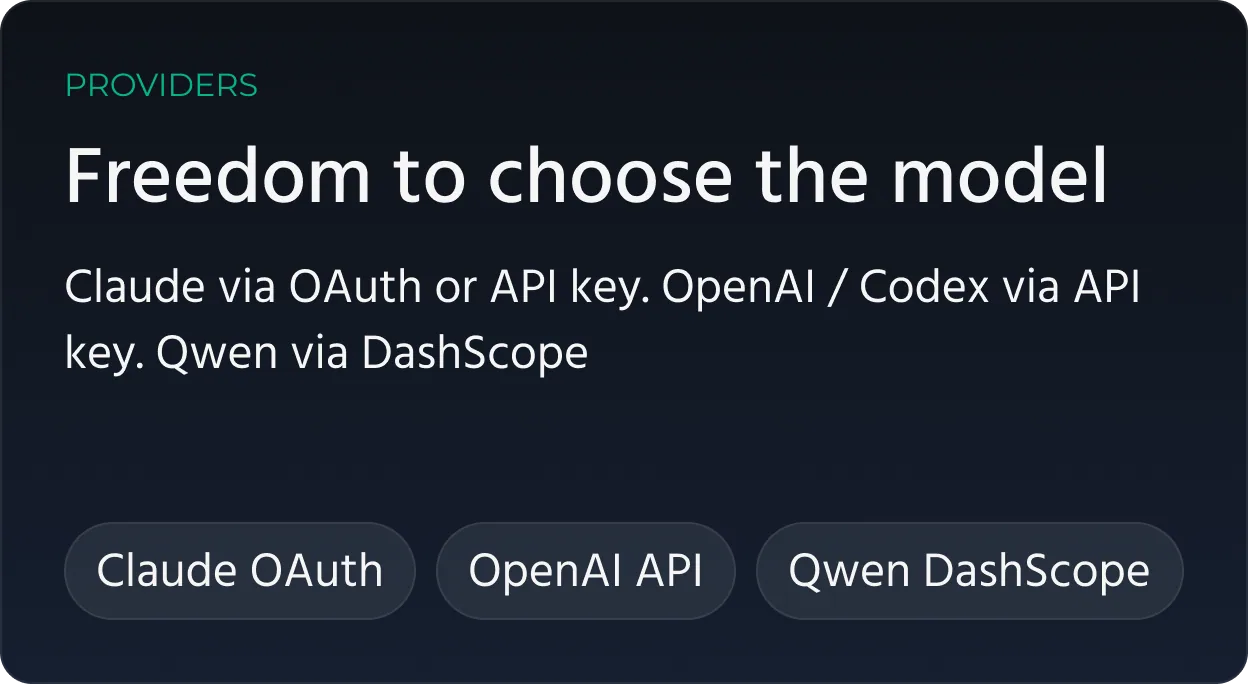
AI provider selection in ENCY with Claude, OpenAI and Qwen
Clip — Setup Helper
Cam Agent / in-app assistant

Cam Agent (Beta): Your AI Crew Chief for CAM.

CamAgent recognizes features, chooses strategies, tools and cutting data, creates and simulates toolpaths, detects collisions and estimates time and cost. Ask in plain language and stay in control.

01

Setup Helper

Build the Starting Grid

Set up the machine, material, geometry, and coordinate systems — without creating machining operations.

02

Feature Recognition

Read the Part

Automatically detect pockets, holes, chamfers, and other machinable features.

03

Yolo

Go Flat Out

Take the job from model to G-code with a fully automated CAM workflow.

04

Scan Project

Check Your Position

Review the current project state before deciding the next move.

05

Technology Wizard

Plan the Race

Create operations, select tools, run simulations, and generate G-code with guided AI support.

06

Troubleshooting

Catch Problems Early

Check for collisions and gouges, then diagnose what needs attention before machining begins.

07

Feeds & Speeds

Tune for Peak Performance

Optimize feeds, speeds, and other cutting parameters for the active operation.

08

Tool Picker

Choose the Winning Lineup

Assemble the right tool set using tools and components from connected libraries.

09

Cost Estimate

Know the Time. Know the Cost.

Estimate cycle time and production cost before the job reaches the machine.

Collaboration everywhere

The Garage Travels
with the Team.

ENCY Clouds brings collaboration, projects, and machine-ready assets into one connected workspace — keeping the entire production context within reach wherever the team works.

Collaboration

Keep the Whole Crew in the Loop.

Share projects, messages, files, screenshots, videos, and calls in one live context. Collaborate inside ENCY, on the web, or from mobile — without losing the thread.

Technical support has never been easier. Users and their CAD/CAM provider can communicate around the same project, exchange visual feedback, and resolve issues faster — with all the necessary context in one place.

Projects

Every Project. Always Race-Ready.

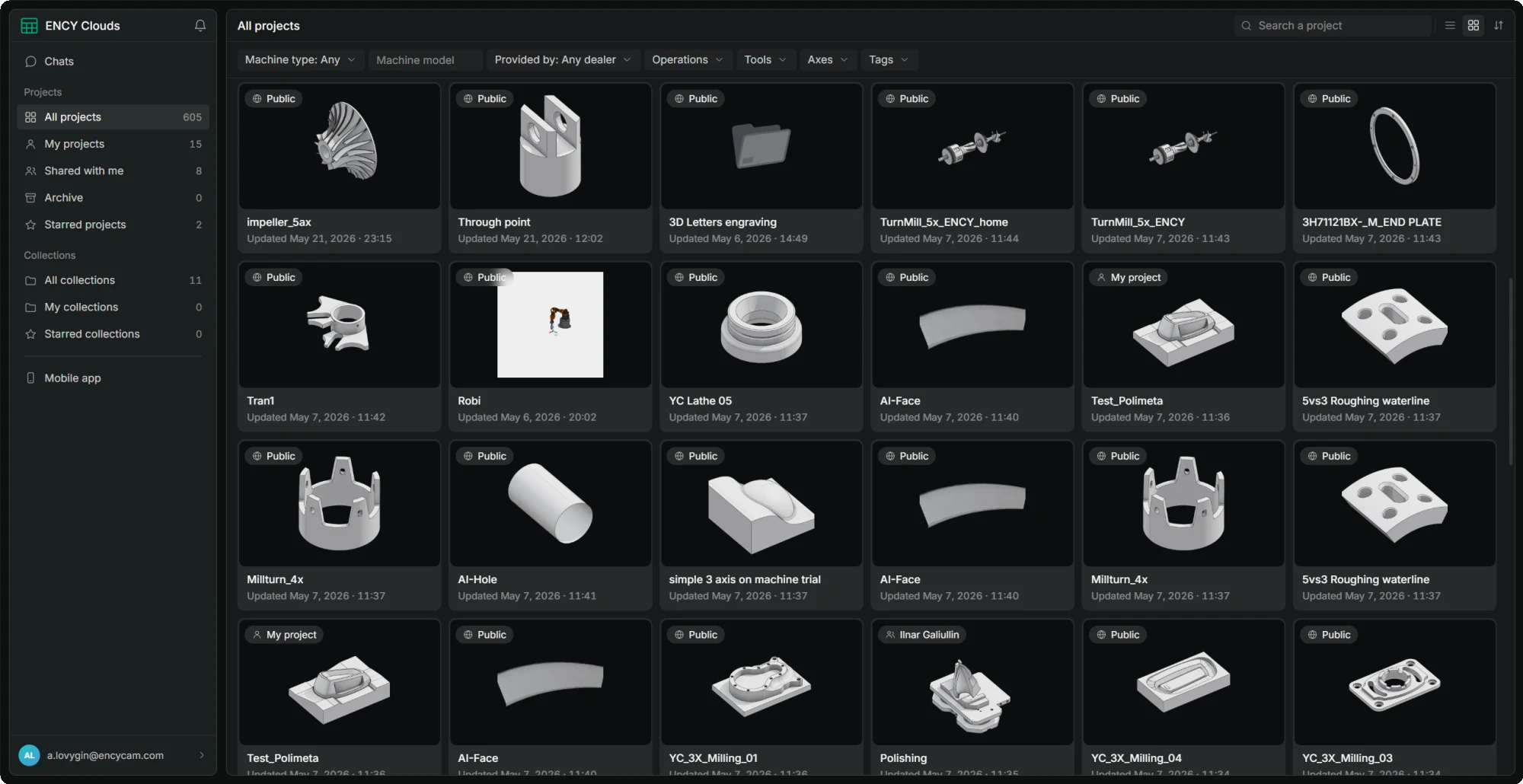
Keep local and cloud projects in sync, organize them into collections, share updates in one click, and quickly find the right job by machine, operation, tool, axis, or tag.

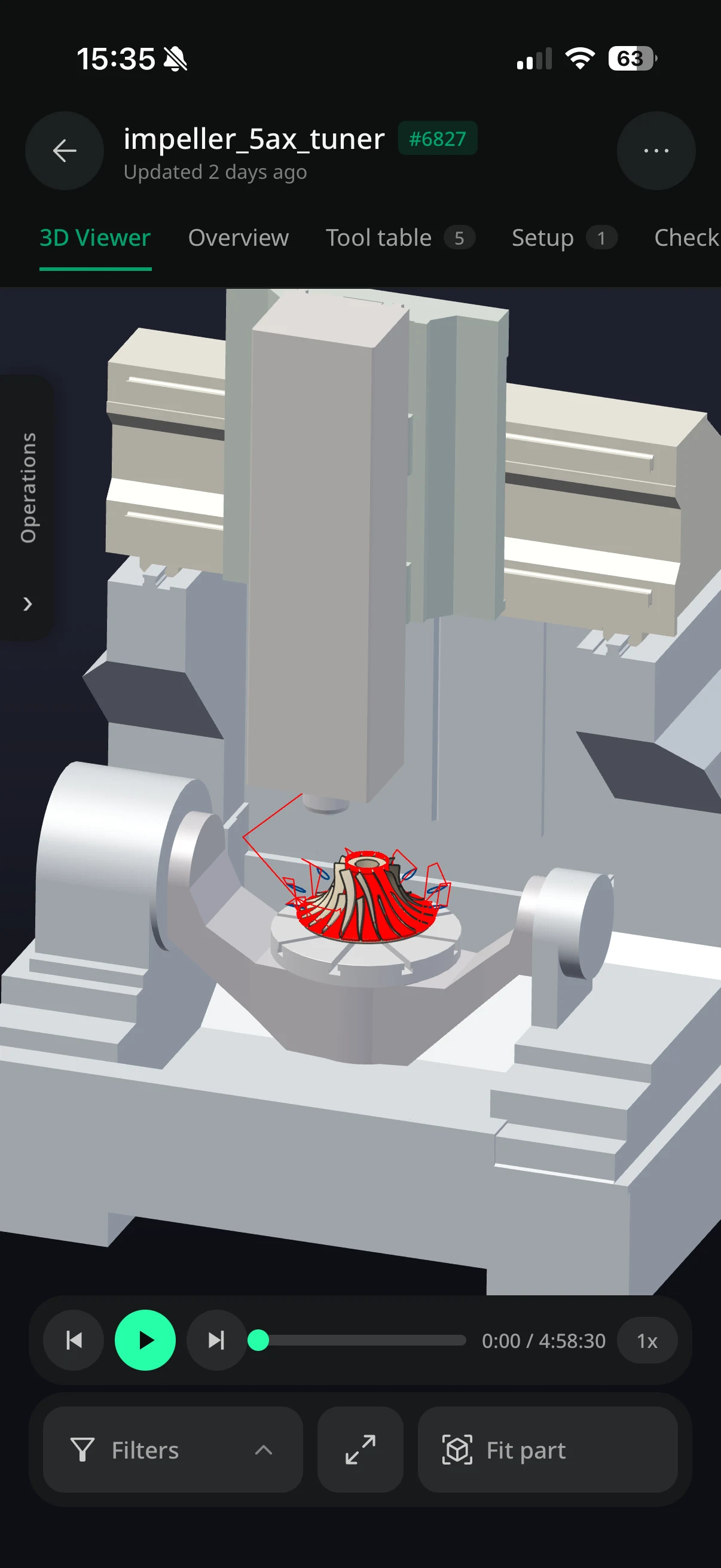
View projects — including their associated tools and toolpaths — directly in the browser. Review the essential manufacturing context from virtually anywhere, without opening the complete project in the desktop application.

ENCY Clouds project library in a desktop web browser
ENCY Clouds mobile app with a 3D project viewer

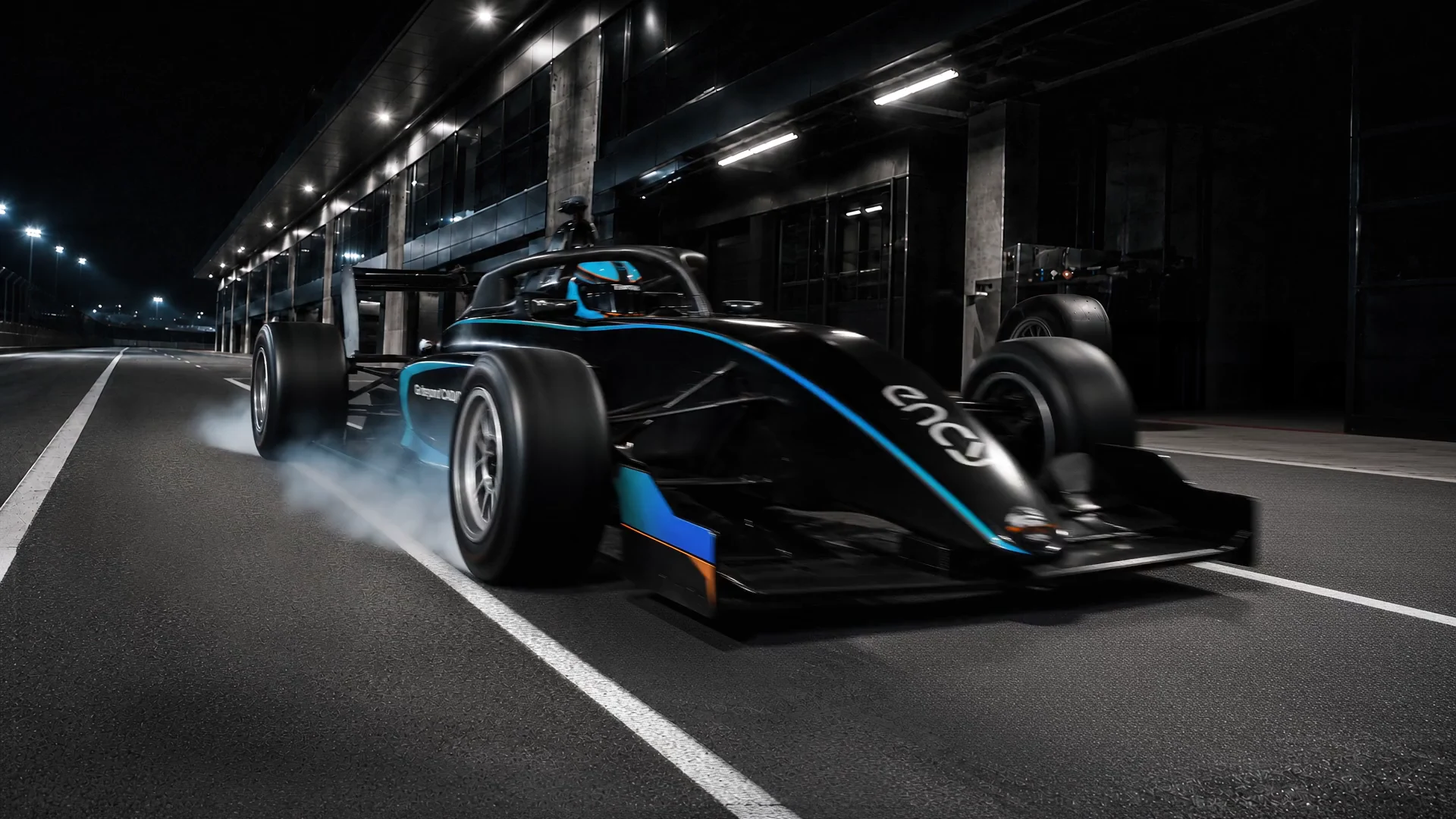
Digital Machine Center

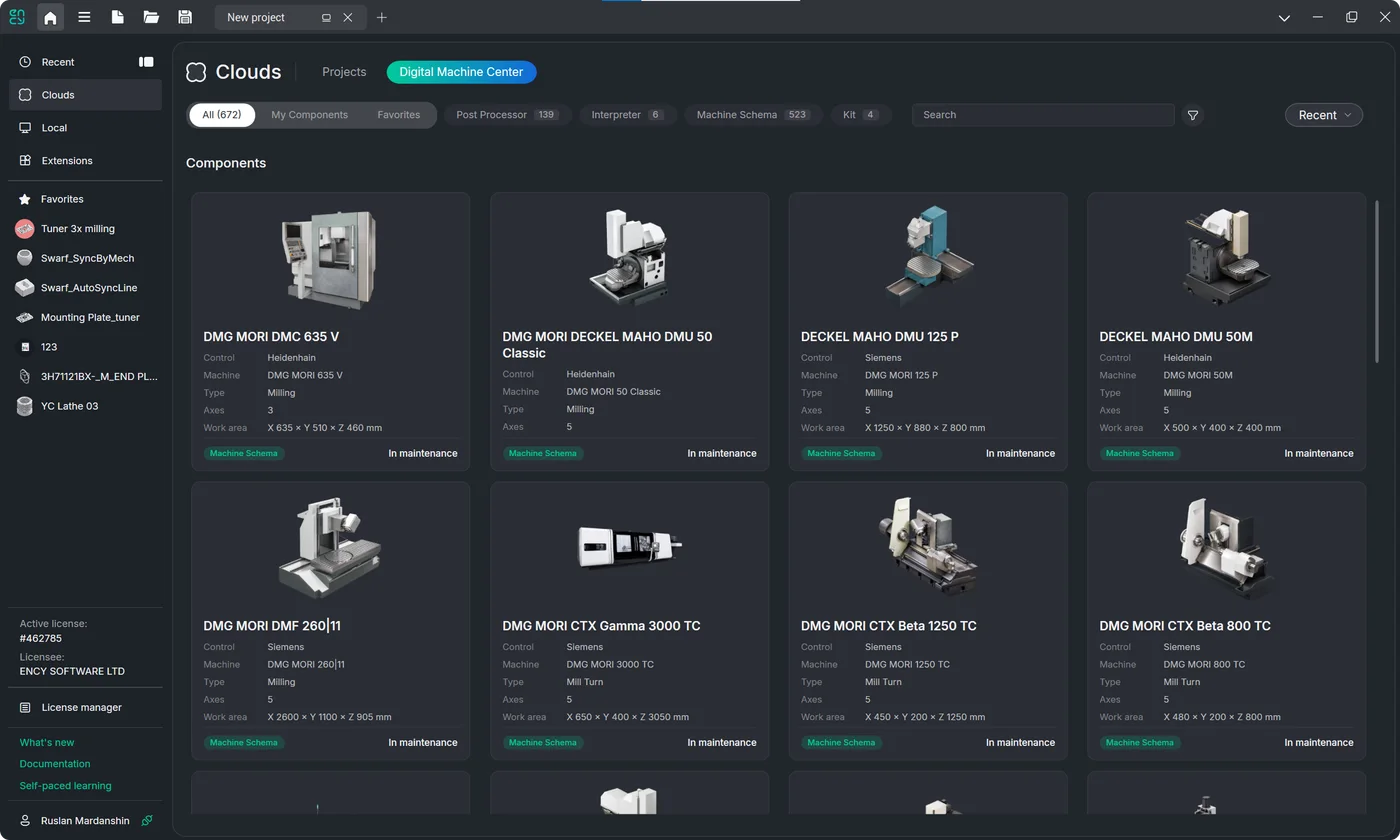
Find postprocessors, machine schemas, interpreters, and complete Machine Kits in one trusted catalog — available on the web and directly inside ENCY Clouds.

Search by machine, controller, brand, or asset type, then review images, technical specifications, licensing options, and pricing on a single product page. Request a temporary trial directly from the catalog and receive the asset in your ENCY container, ready to test in your own workflow before committing.

Less time searching, fewer implementation delays, and a faster route from software setup to a production-ready machine.

ENCY Clouds catalogue with the Digital Machine Center tab open on a grid of machine componentsDigital Machine Center product page for the DMG MORI DMU 50 Classic machine schema with specifications and licensing
“You either do it properly or you quit.”
Vladimiros Tziortzis

NASCAR Euro Series race winner, seven-time Cyprus Karting Champion, and the first Cypriot driver in EuroNASCAR

Vladimiros Tziortzis in helmet and race suit
IMTS 2026 · Chicago, USA

Visit ENCY at IMTS 2026 for your chance to win one of five VIP NASCAR tickets.

Join us September 14–19 at McCormick Place in Chicago. See ENCY 3.0 in action, meet the team, and explore the technology driving the next generation of CAM. Stop by the ENCY booth and enter the giveaway — you could be heading from the show floor to the NASCAR fast lane.
Where to find usEast Building, Level 3
Software Sector — Booth 135750
Giveaway eligibility, entry period, prize details, and restrictions are subject to the Official Rules.

Finish line

Ready to Take
the Checkered Flag?

What's new in ENCY 3.0

Watch the short recap of all the latest features and improvements.

Get ENCY 3.0

Contact your local dealer to request your copy or ask a question.

Please select an enquiry option
Choose your country/region*
Specify your industry focus