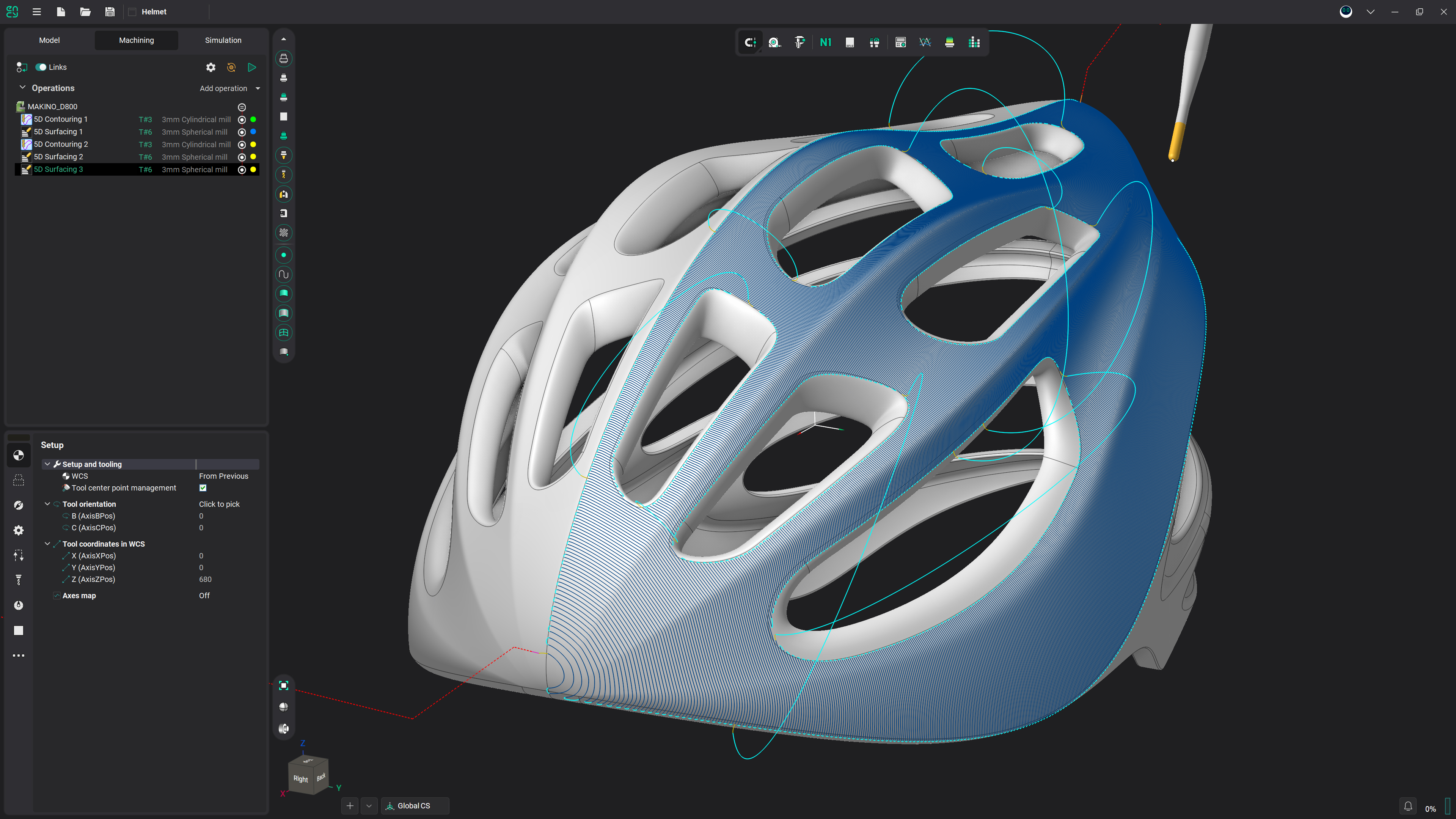
Adaptive tilting
The tool tilts on two axes wherever the holder would hit the part — 3-axis programming, 5-axis clearance, no rework.
How automatic holder-collision avoidance works
The holder hits the part long before the tool does
- In deep pockets and against tall walls the cutting edge still has room, but the holder — always wider than the tool — runs into the material.
- The usual answers are both bad: a longer, more slender tool that chatters and wears, or hand-reprogramming the problem area in a 5-axis operation.
- ENCY takes the third route: it finds the colliding segments itself and fixes them without touching the rest of the program.
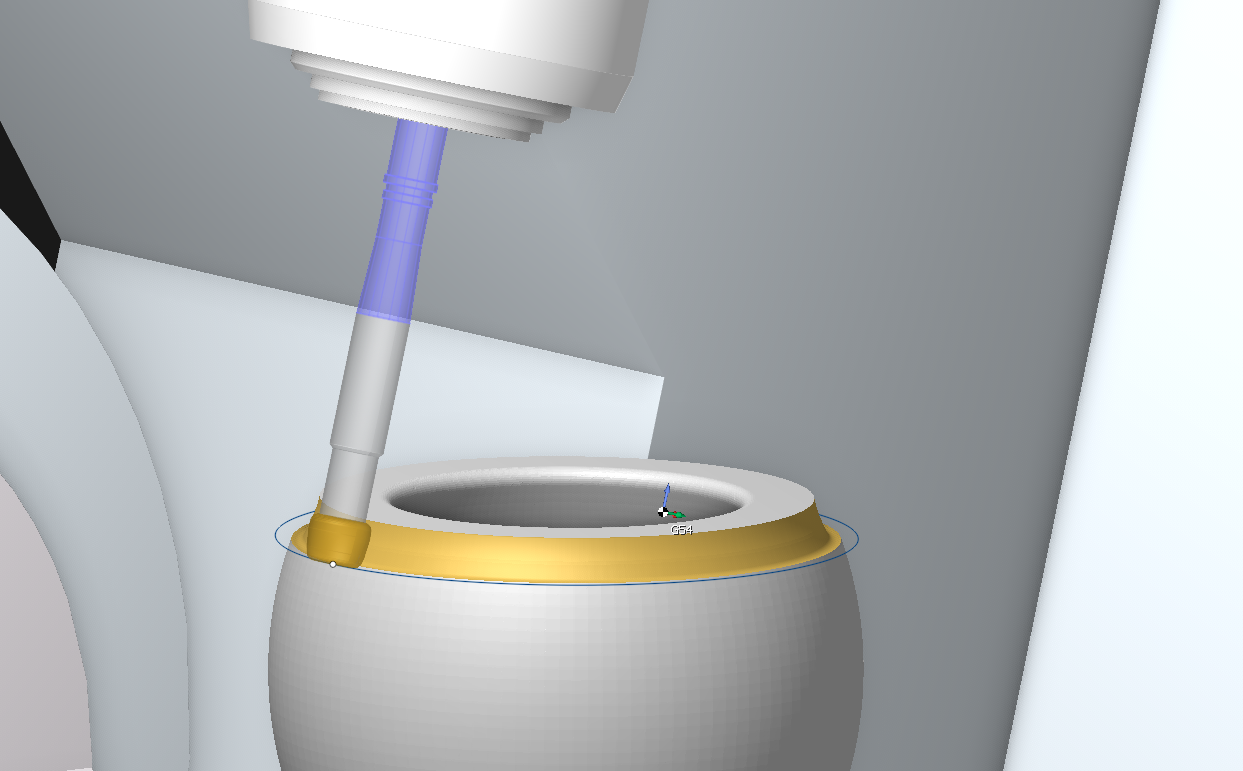
Auto: the tool tilts on two axes
- The Auto strategy applies simultaneous angular deviation along two axes — the holder swings clear while the tool tip stays on the programmed path.
- Only the colliding segments become 5-axis. Everywhere else the toolpath stays exactly as programmed.
- So you keep programming the simple 3-axis way and still get the reach that normally demands full 5-axis programming.
- Shorter, stiffer tools become usable where a long overhang used to be the only option — better finish, longer tool life, no rework.
Seven ways to clear an obstacle
- AutoAngular deviation along two axes at once — the default when you just want it solved.
- Frontal tiltingThe tool tilts away from the collision in the plane of the pass.
- Side tiltingThe tool tilts sideways, in the plane perpendicular to the toolpath.
- Tilt to rotary axisDeviation in the plane through the rotary axis — for machines with a rotary axis around the axis of rotation, such as a C table.
- Tilt around rotary axisThe same deviation taken perpendicular to the rotary axis, for machines without one around the axis of rotation.
- Offset along toolShifts the toolpath along the tool axis within a set distance; the path stays continuous.
- Trim toolpathThe honest fallback: colliding segments are excluded, so nothing unsafe reaches the machine.
Detected per NC block, not guessed
- Simulation flags the exact NC blocks where the holder interferes — you see which moves are at fault, not just that something is wrong.
- Checking runs against the real geometry of the tool assembly — holder, adapters and cutting tool as they are actually built in ENCY 3.
- Spindle clearance is checked too: automatically from the 3D machine model, or manually via cone and cylinder safety zones.
Automatic, but still yours to tune
- One group in the operation parameters: switch Check Holder on, pick Auto, and the rest is defaults you can refine.
- Tool working length — the usable cutting length along the axis (LU per ISO 13399), so the tool is not asked to cut with its shank.
- Radial, axial and angular clearances for the tool, the holder and the spindle — the safety margins the calculation must respect.
- Max. tilt angle caps how far the tool may lean; Additional tilt angle adds guaranteed extra clearance on top of the collision-free solution.
- Inertia and normal blend distance control how smoothly the tool axis changes — no jerky swings between neighbouring points.
- Fixed lead direction locks the approach angle when the tool meets an obstacle.
Check links — transitions are protected too
- Collisions do not only happen while cutting: the links between passes are where an unchecked holder quietly clips a wall.
- Check links applies controlled angular deviation in two directions during transitions between machining passes.
- The whole program is protected — work moves and the moves in between.
Frequently asked questions
The tool holder is wider than the cutting tool, so in deep pockets or along tall walls it reaches the material while the cutting edge still has clearance. On the machine that means a crash — which is why the toolpath has to be checked against the real holder geometry, not just the cutter.
No. Only the segments where the holder would collide are tilted; the rest of the toolpath stays exactly as programmed. You program in 3 axes and get 5-axis clearance where it is actually needed.
Tilting strategies need the corresponding kinematics — some of them are specific to machines with or without a rotary axis around the axis of rotation. On machines that cannot tilt, use Offset along tool or Trim toolpath, which remove the collision without any rotation.
Holder checking itself is not new — ENCY has detected colliding segments and modified them by strategy for several versions. What ENCY 3 adds is the Auto strategy, which derives a simultaneous two-axis tilt automatically from holder clearance, together with Check links for protected transitions and the accurate tool-assembly geometry the check runs against.
That is the point of tilting: leaning the tool gives the same access into a cavity that a longer overhang would, so a shorter and stiffer tool stays usable. Set the tool working length and clearances, and the calculation keeps the holder out of the material for you.
Get started with ENCY