CamAgent
Agentic AI for CAM programming in ENCY. Set a goal — the agent plans, acts, verifies and fixes, driving toolpaths, simulation and NC code.
Not a Chatbot. An Agentic CAM System
- CamAgent works from a goal, not from a prompt. It plans the job, acts inside ENCY, checks what it produced and corrects it — the way a CAM programmer works through a part.
- It starts from either end: a fresh 3D model, or a project already open, continued from its current state instead of from scratch.
- Given a model and a task, it develops a machining strategy, creates operations, adjusts parameters, runs calculations, checks simulation results and refines the outcome.
- It can run the whole job end to end, and you can step in at any point to stop it or change the material, the machine or the surface finish target.
- Every action is reported in the chat for you to approve or reject before it lands in the project.
Ten Task Workflows, One Command Each
- Ten composable, task-oriented workflows ship with the agent, each with its own slash command, quick action button and system prompt.
- /scan reviews the project you have, /setup prepares machine, material and geometry, /wizard walks operations, simulation and NC program step by step, and /yolo runs the whole pipeline from model to G-code.
- /feature, /tools, /feeds and /cost cover part analysis, tool selection, cutting parameters, and cycle time with cost.
- /tutorial teaches by doing — the agent prompts you live inside the real workflow, not in a separate manual.
- Workflows compose with each other, and the command list is filtered by project state: some commands appear only once a project is loaded or ready.
How the Agent Drives ENCY
- The agent does not click through the interface. It calls dedicated tools — one per capability — and shows every call in the chat before it runs.
- The tool catalog is grouped by area: project lifecycle, operations, geometry, tooling, machine setup, NC code and simulation.
- Operation management is complete: create, reorder, delete and select operations, read and set their parameters, reset a toolpath or a simulation.
- Composite pipelines chain the sequences you run every day — open and calculate, calculate and save, scan a project, run a full pipeline.
- Seventeen tools drive the postprocessor IDE and fifteen more inspect CLData, so the agent can open, edit, compile and run a postprocessor rather than only call one.
- Macro tools let it record your work and replay it: start a recording, capture steps, save the macro, then run it on another part.
It Looks at the Part, Not Just the Text
- Most of what the agent knows about your part it goes and gets itself.
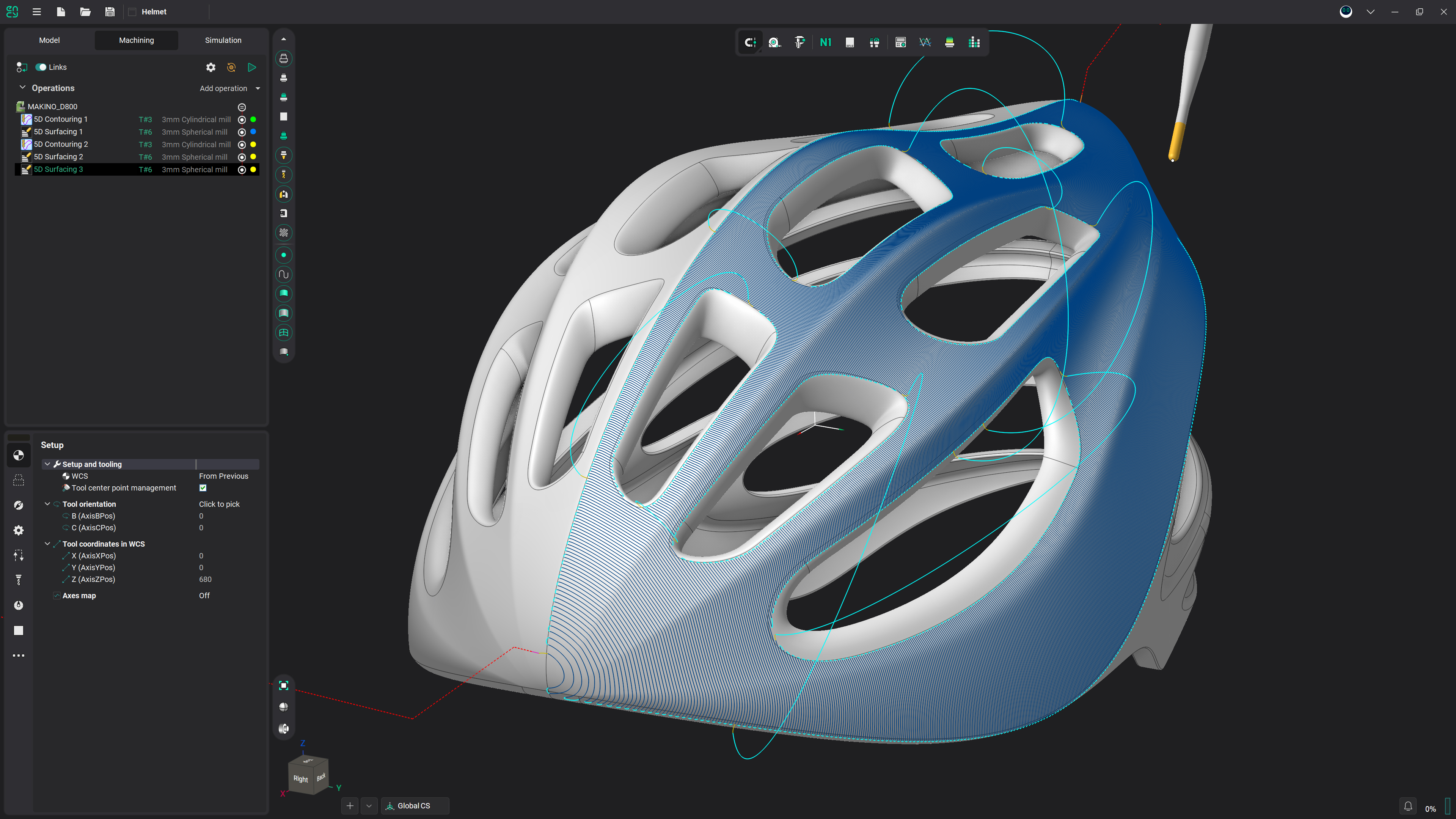
- The agent can capture the ENCY viewport from several angles on its own, analysing geometry and checking toolpaths and simulation results.
- A built-in 3D viewer classifies the faces of a STEP file into 48 machining feature types — holes, pockets, slots, steps, chamfers, gears, grooves and others — and passes the result to the agent.
- STL analysis adds geometric metrics and mesh quality checks on the model itself.
- You can add your own images too — a screen region, a clipboard paste, or a file.
- Voice input dictates in real time, with instant language switching from the toolbar.
Cost, Cycle Time and Tool Life Before You Cut
- A toolpath that runs is not the same as a toolpath worth running, so the agent has tools for the numbers as well as the geometry.
- Cycle time is estimated per operation, together with the cost of machining.
- The MRR / tool life calculation puts material removal rate against tool life, so the trade-off is a number rather than a feeling.
- Cutting parameters are looked up and calculated through the agent's own feeds and speeds tools.
- The machining result is compared against the target model: residual volume, maximum and average stock, gouges, and surface coverage.
Providers, Modes and Staying in Control
- You choose the model, the depth of thinking and how much the agent decides on its own.
- Several AI providers are supported — Claude with OAuth or an API key, OpenAI, Qwen, Gemini, DeepSeek and CAM GPT — selected right in the input bar.
- Work modes switch between Agent and Plan, with extended thinking supported, and the effort level runs Low, Medium, High or Max, remembered per model.
- The agent has explicit tools for putting a question or a choice back to the operator, so a decision that is yours is asked, not guessed.
- Semantic search runs over the ENCY documentation itself, finding the relevant section by the meaning of your question rather than by keywords.
Frequently asked questions
No. A chatbot answers questions; CamAgent acts. You set a goal and it plans the job, calls tools inside ENCY to carry it out, checks the result and corrects it — reporting every call in the chat for you to approve or reject.
That is one of its two core scenarios: from a model and a task it works out a strategy, creates operations, calculates, simulates and refines the result, finding and diagnosing collisions and gouges along the way. /yolo runs that end to end; /wizard does the same step by step. The other scenario is an existing project, continued from where it stands.
Every action is reported for approval before it runs, and irreversible steps get an extra stop: before deleting an operation the assistant names it and waits, because a deletion cannot be undone from the chat. Reordering does not recalculate toolpaths, so ask for a recalculation when the new order changes what a later operation machines.
Claude via OAuth or an API key, OpenAI, Qwen, Gemini, DeepSeek and CAM GPT — chosen from the toolbar. A key is entered once per provider and validated before it is saved.
The extension is free in the ENCY Extension Store and adds a CamAgent button to the ENCY utilities. The assistant itself is a separate desktop application, downloaded on first use and kept up to date automatically. Chatting with it needs a subscription or your own AI provider key. It runs on 64-bit Windows 10 or 11, alongside ENCY on the same machine.
Get started with ENCY