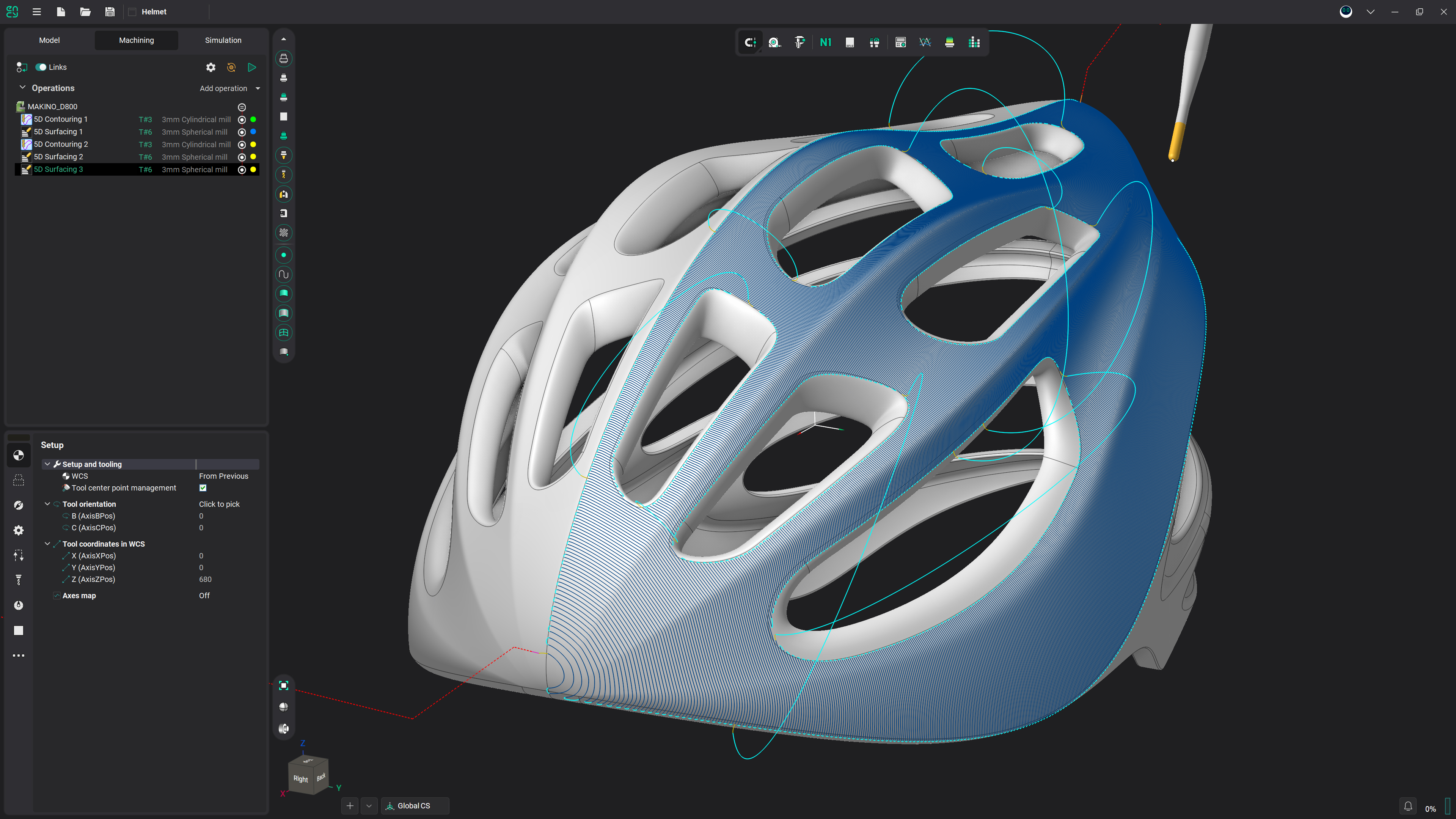
Combo Finish
3-axis finishing in ENCY 3: plane, waterline and scallop toolpaths with two combined strategies for shallow and steep areas.
What Combo Finish Is
- One 3-axis milling operation that replaces outdated legacy operations and addresses associated issues.
- In combined strategies, gentle and steep areas are processed using different strategies — this ensures a uniform scallop pattern on the surface and improves cutting conditions.
- Support for generating helices for waterline passes (helical machining), and a calculation process that is fully parallelized.
Three Base Strategies
- Plane — the plane finishing is designed for the machining of smooth areas of a model's surfaces, and also for areas close to vertical, whose (steep) trajectories are along the toolpath.
- Waterline — the waterline finishing gives a good result when machining models or their parts that have their main surface areas close to vertical.
- Scallop — the Scallop toolpath starts from the curves lying on the part surfaces and is generated by repeatedly offsetting those curves inwards until the curves collapse. This method creates a toolpath similar to equidistant strategy.
Two Combined Strategies
- Plane + Waterline — the plane toolpath machines only areas with the slope angle less than the Split slope angle, while the waterline toolpath machines areas where the surface slope angle is greater than the Split slope angle. Shallow areas are machined with the plane toolpath, steep areas with the waterline toolpath.
- Scallop + Waterline — the scallop toolpath machines only areas with the slope angle less than the Split slope angle, while the waterline toolpath machines areas where the surface slope angle is greater than the Split slope angle. Shallow areas are machined with the scallop toolpath, steep areas with the waterline toolpath.
- Split slope angle — angle between vertical and horizontal passages. By default the split slope angle is set to 45 degrees.
- Smooth distance — sets the distance used to smooth and merge adjacent machining regions in the combined strategies. Neighbouring areas located within the specified distance are joined into a single continuous region, which eliminates short, fragmented passes and produces a smoother, more uniform toolpath.
Toolpath Control
- Spiral machining — setting the flag configures the toolpath as a continuous spiral to minimize links.
- Start Point — the point defining the beginning of the plunge.
- Machining order — Downwards is recommended for models which have surface areas close to the vertical; Upwards is advised for models with form-creating surfaces which are closer to horizontal.
Parameters
- Strategy — creates a toolpath with the selected strategy (Plane, Waterline, Scallop, Plane + Waterline, Scallop + Waterline). Default: Plane + Waterline.
- Step — material removed in one pass along the tool axis between the Top and Bottom levels. Default: 20 %Ø (1.6 mm).
- Angle — assigns the cut angle direction for the plane operations. Default: 0°.
- Spiral machining — configures the toolpath as a continuous spiral to minimize links. Default: ON.
- Milling type — controls the required milling type (climb or conventional) during the toolpath calculation process. Default: Both.
- Machining order — sets the direction of level-by-level machining. Default: Downwards.
- Min slope angle — lower bound of the surface-normal-to-Z angle range being machined. Default: 0°.
- Max slope angle — upper bound of the surface-normal-to-Z angle range being machined. Default: 90°.
- Split slope angle — angle between vertical and horizontal passages that separates the two toolpaths in a combined strategy. Default: 45°.
- Smooth distance — distance used to smooth and merge adjacent machining regions in the combined strategies. Default: 1.6 mm.
What It Replaces
- Outdated legacy 3-axis finishing operations and the issues associated with them — Combo Finish consolidates plane, waterline and scallop into one operation.
- Manual splitting of shallow and steep areas — the combined strategies handle the split automatically at Split slope angle and produce a uniform scallop pattern with better cutting conditions.
- Fragmented toolpaths at zone boundaries — intelligent toolpath merging and the Smooth distance parameter join neighbouring regions into a single continuous, more solid toolpath.
Frequently asked questions
Three base strategies — Plane, Waterline and Scallop — and two combined strategies: Plane + Waterline and Scallop + Waterline. All are configured from the same operation, on the Strategy tab.
By the Split slope angle. The plane or scallop toolpath machines areas with slope angle less than Split slope angle; the waterline toolpath machines areas where the slope angle is greater. By default the Split slope angle is set to 45 degrees.
The current release ships plane, waterline, scallop and their combined variants with helical waterline passes, intelligent toolpath merging via Smooth distance and a fully parallelized calculation. Further extensions are announced direction, not a shipped feature.
Get started with ENCY