Tool-to-part and part-to-tool polishing
ENCY Robot — offline programming for robot polishing
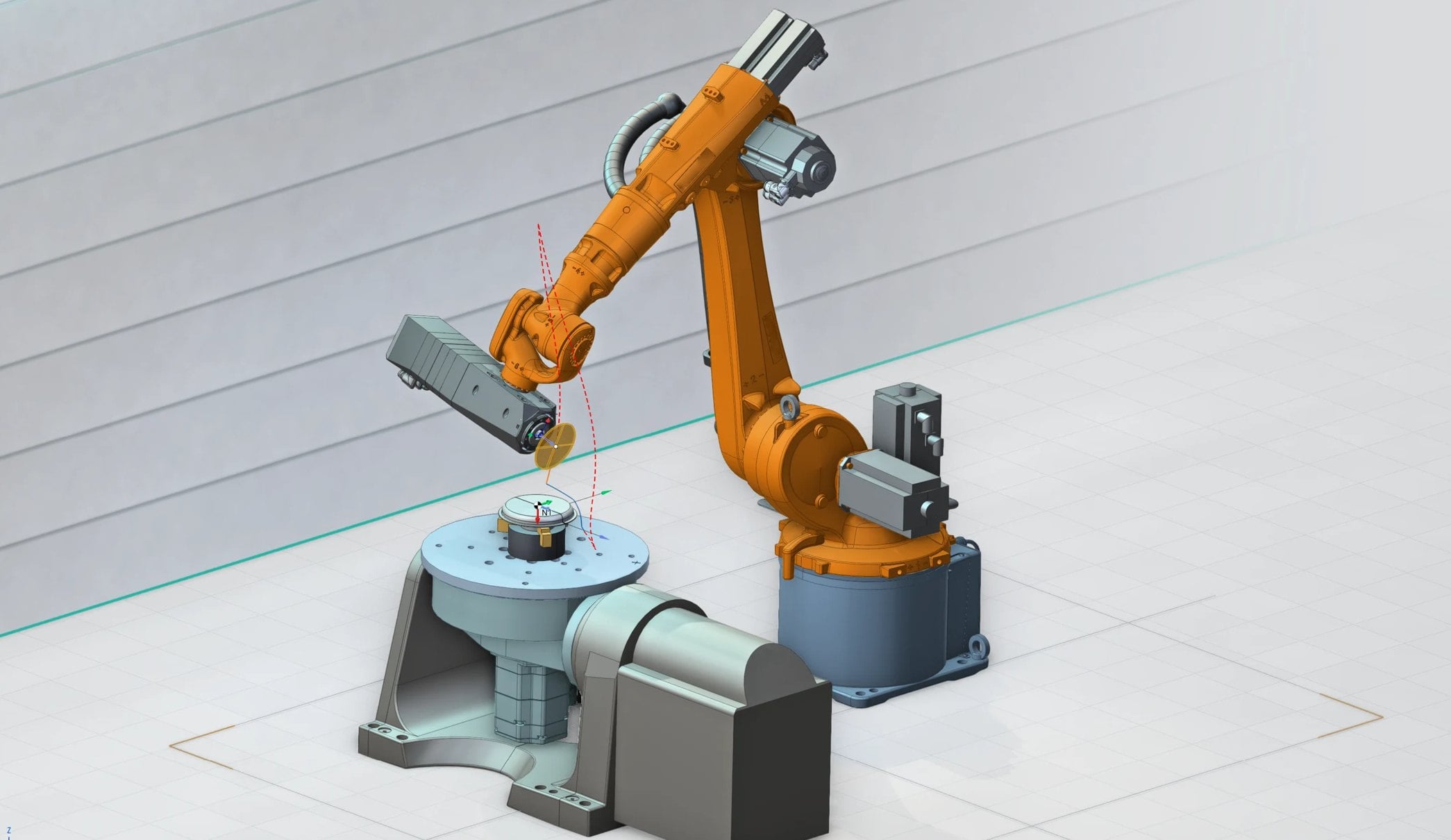

Pick the contour, ENCY Robot builds the pass
Polish edges and walls along any contour — with the tool on the robot or the part in its gripper.
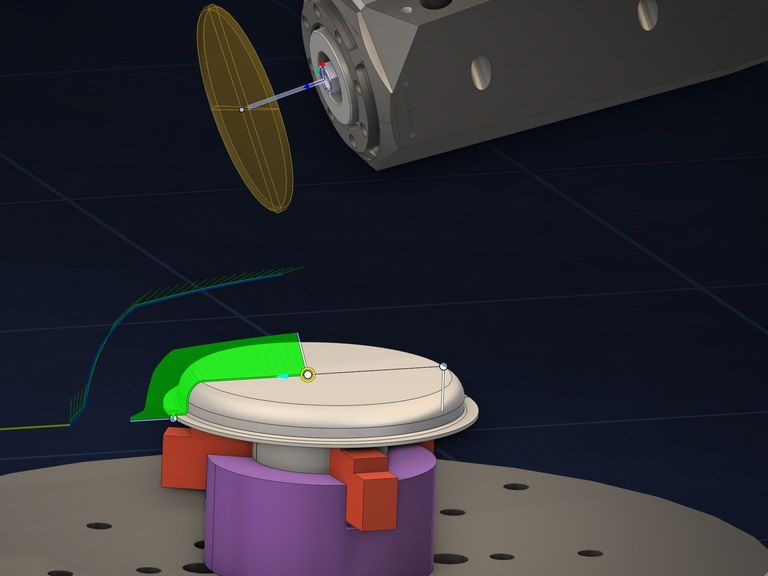
Pick the contour
Select 3D curves. Job vectors set the side the disc works from.
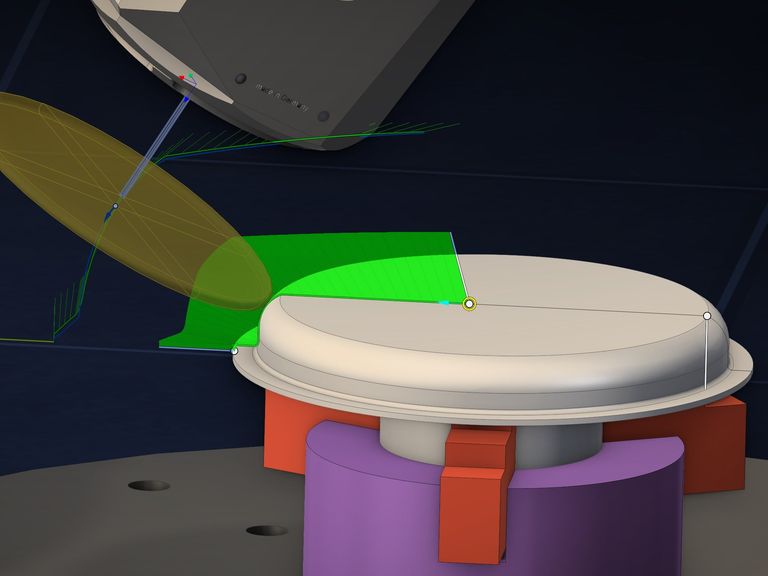
Let the contact drive the disc
The disc position at every point comes from contact with the part.
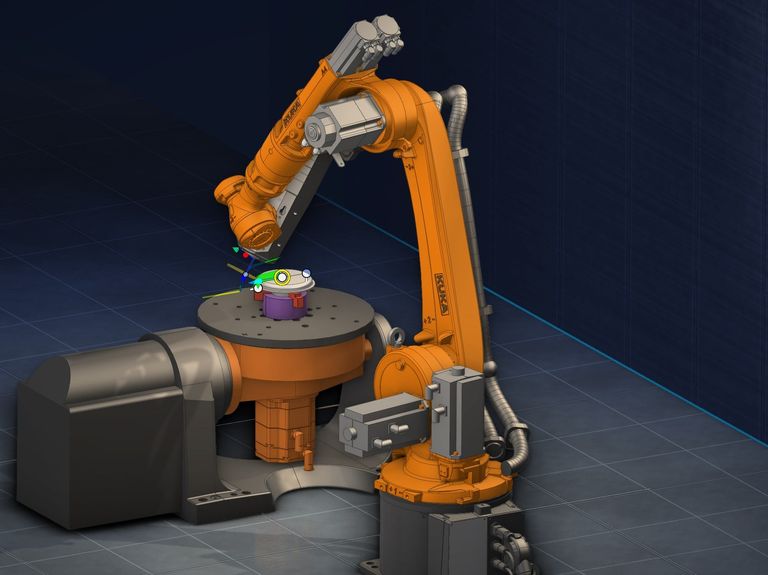
Check it before the robot moves
Simulate the full cell and send a verified program to the robot.
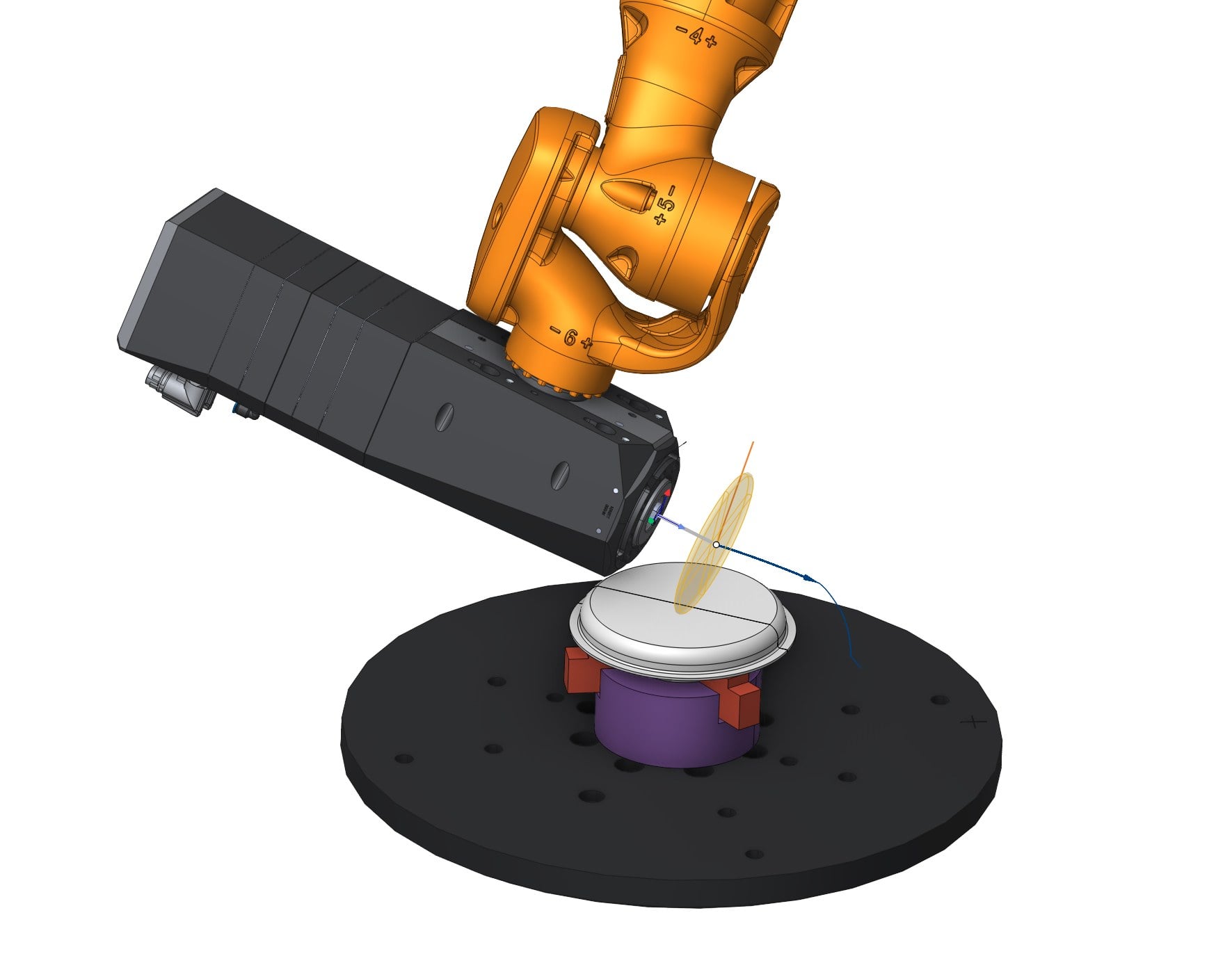

Contour polishing
Finishes walls and edges with the rim of a disc tool — along 3D contours and into undercuts.
- 5D Curve job: toolpath on the surface, tool axis normal to it
- Contour axis X, Y, Z or custom; Roll mode fixes the tool axis
- Contact point and orientation: where the disc meets the part and how it tilts
- Restrictions keep the disc off areas it must not touch
Tool to part or part to tool
ENCY Robot programs both layouts.
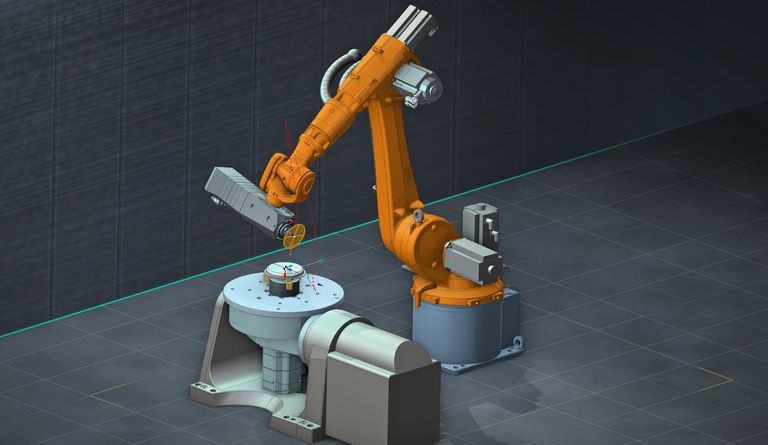
Tool-to-part
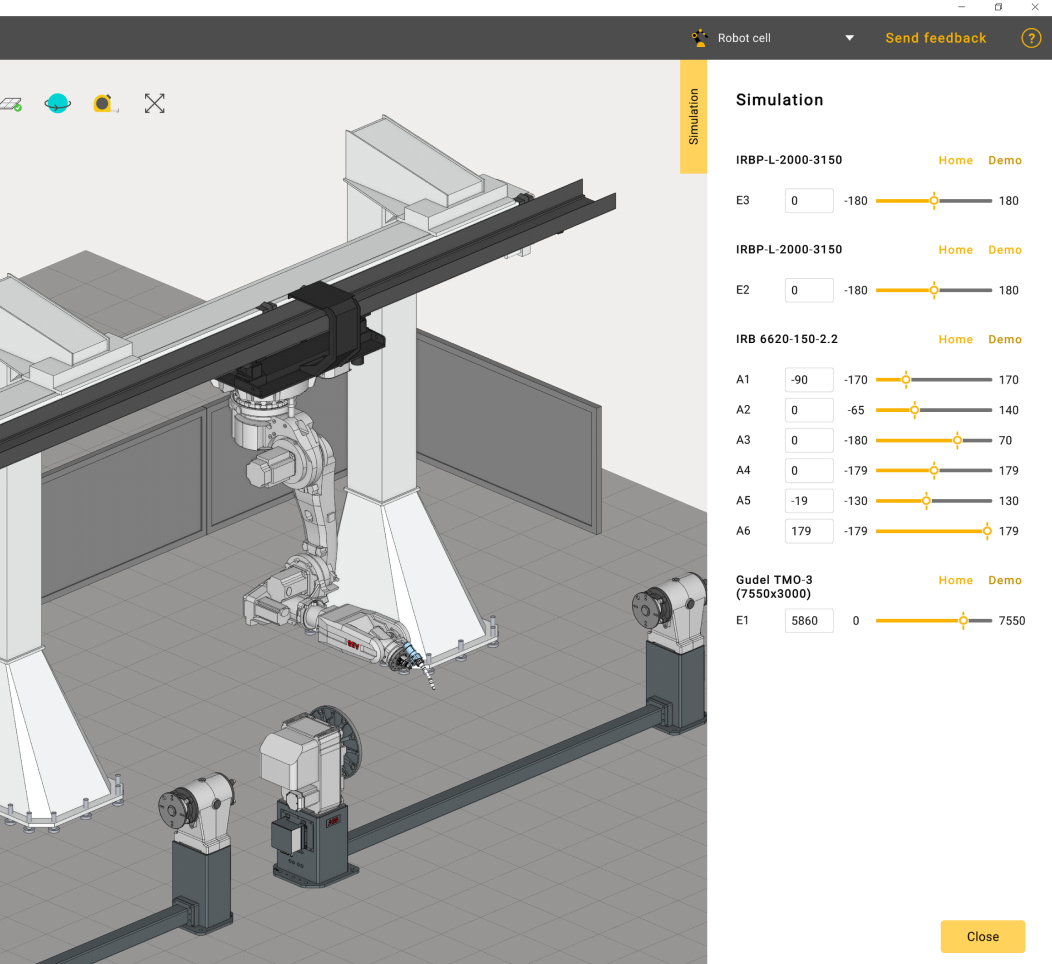
The robot carries the polishing head; the part sits on a table or positioner. Robot, rails and rotary table work as one cell.
Part-to-tool
The robot holds the part and brings it to a fixed tool. Tool and workpiece frames swap for this layout.
From one robot to a full cell
ENCY Robot programs the whole cell in one project.
| Your cell | What you can program |
|---|---|
| Polishing robot | Contour polishing along 3D edges and walls |
| Robot on a rail | Rail position along the pass |
| Positioner or rotary table | Table rotation together with the robot motion |
| Robot holding the part | Part-to-tool polishing against a fixed tool |
Using ENCY CAD/CAM? Add Robot+ to drive 6-axis robots from your 5x Mill, Master or Pro configuration.
Try ENCY Robot for free - 30 days of full access
Test the full power of offline robot programming. Build your virtual robotic cell, simulate, optimize, and generate toolpaths with no limitations.
- Full robotic cell simulation
- Advanced toolpath calculation
- Kinematics and external axes management
- Collision detection and validation
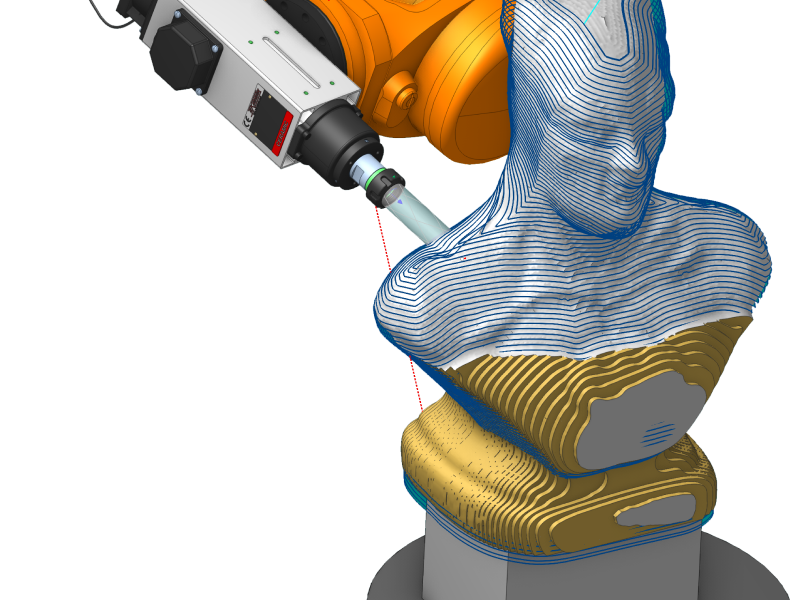
See every pass before it touches the part
Robot, positioner, fixtures and part in one simulation. Gouges show on screen, not on the workpiece.
Robot polishing in action
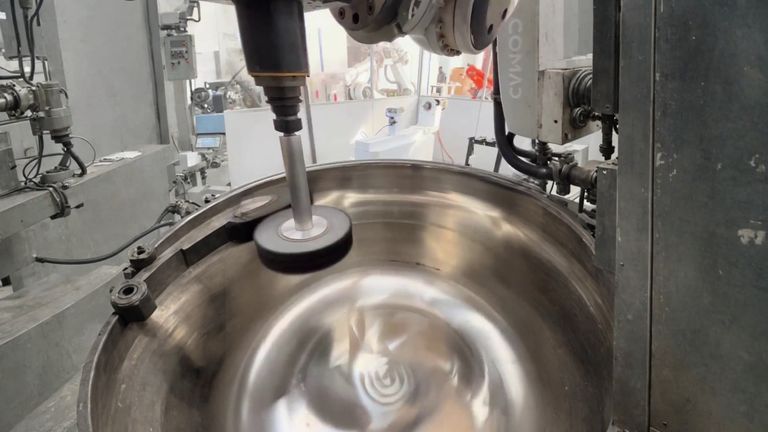
Automated polishing with precision
A six-axis robot polishes the inside of stainless steel vessels.
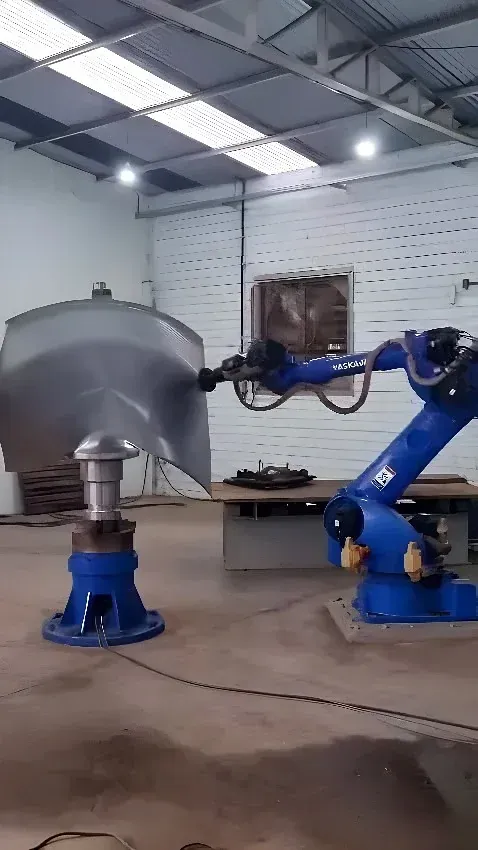
Polishing curved sheet-metal panels
A robot with a rotary abrasive tool finishes curved panels on a motorized rotary fixture.
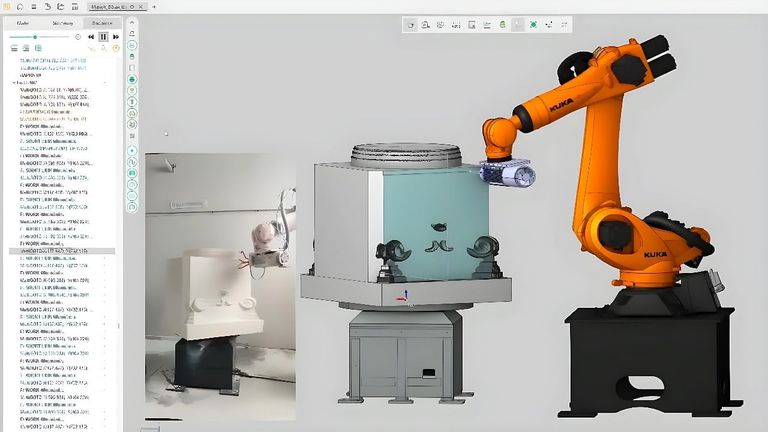
Robotic milling and polishing
One robot cell mills and finishes complex aluminum components.
MachineMaker
Zero-code digital twin builder
Create precise digital twins of your production equipment:
- Design complete robotic cells, including all components
- Build CNC machines of any complexity
- Perform detailed simulations
- Access a library of robot components from leading brands
- Use pre-built kinematic templates
- Quickly create custom kinematic models
Try ENCY Robot for free - 30 days of full access
Test the full power of offline robot programming. Build your virtual robotic cell, simulate, optimize, and generate toolpaths with no limitations.
- Full robotic cell simulation
- Advanced toolpath calculation
- Kinematics and external axes management
- Collision detection and validation