ENCY 3.2: Reuse Tool Setups, Control Surface Finish, Position Fixtures Faster
Carry your tooling into the next job, set scallop height for finishing passes, and let ENCY snap clamps into place and trim Face Milling passes at the fixtures.
ENCY 3.2 reduces repeat work when preparing machining projects and gives programmers more control over finishing. The update also makes fixtures easier to position and takes workholding into account in Face Milling.
Take Your Tooling into the Next Job
When several parts run on the same machine, rebuilding the same tooling configuration adds work to every project. You can now save a complete tool set in assembly mode and load it into another job. Prepare your standard tooling once, then reuse it as new parts arrive.
Changes are easier to maintain, too. If several operations share a tool, updating its magazine position or adapter applies across those operations. The component panel shows occupied and available magazine pockets, helping you organize tooling without checking each operation separately.
Positioning workholding also takes fewer manual steps. Drag a clamp toward the stock, machine table, or fixture plate, and ENCY highlights suitable levels and snaps it into place. This reduces coordinate entry when building the machining setup.
Program Finishing Around the Surface You Need
Choosing the distance between finishing passes means balancing surface quality against machining time. In Combo Finish, you can now specify the allowable scallop height, giving ENCY a geometric limit to use when spacing passes.
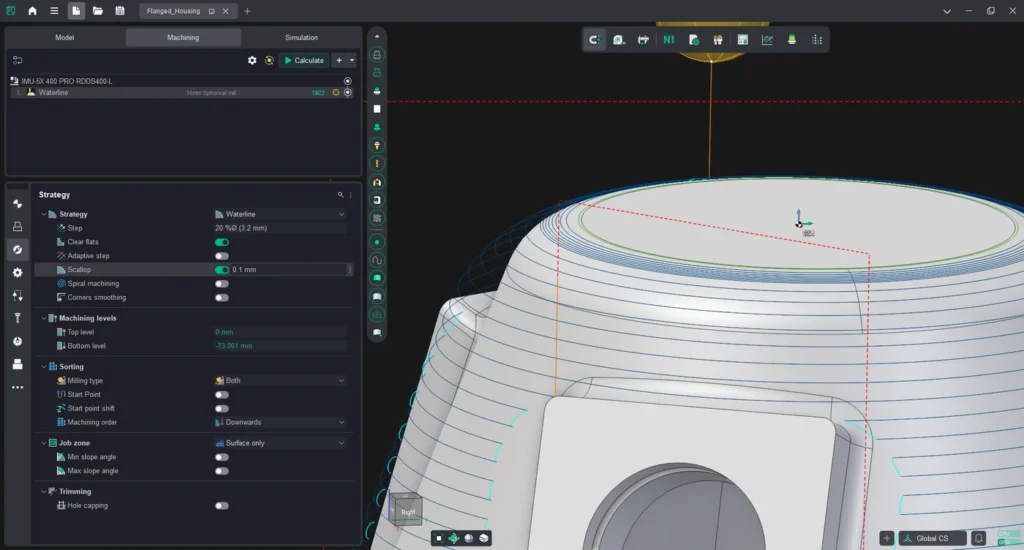
Roughing Waterline also uses scallop height to distribute intermediate levels according to the tool shape. Shallow slopes receive more closely spaced levels, while vertical walls avoid unnecessary ones. This helps control the stock left for subsequent finishing.
You can also complete one surface region before moving to the next without duplicating the operation. That makes the machining sequence easier to adjust and keeps the project simpler to maintain.
Account for Clamps in Face Milling
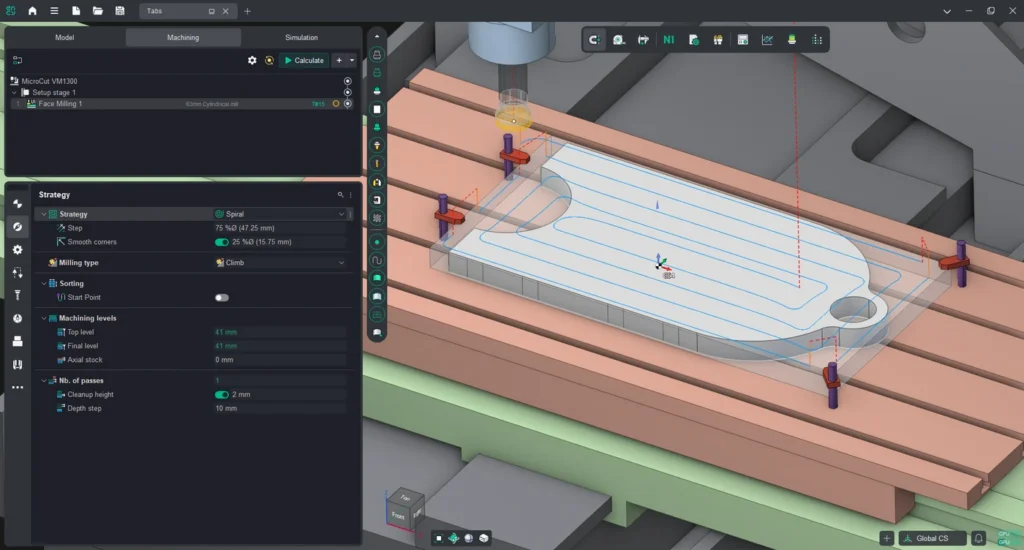
Workholding needs to be part of the machining plan. Face Milling now trims passes against part and fixture geometry, with transfer moves using a clearance plane above the clamps. It also reduces air passes over material already removed when using a zigzag pattern.
The operation trims affected passes rather than generating a route around fixtures. Programmers can account for the setup more directly while retaining control over the machining approach.
More Improvements for Robots and Sheet Cutting
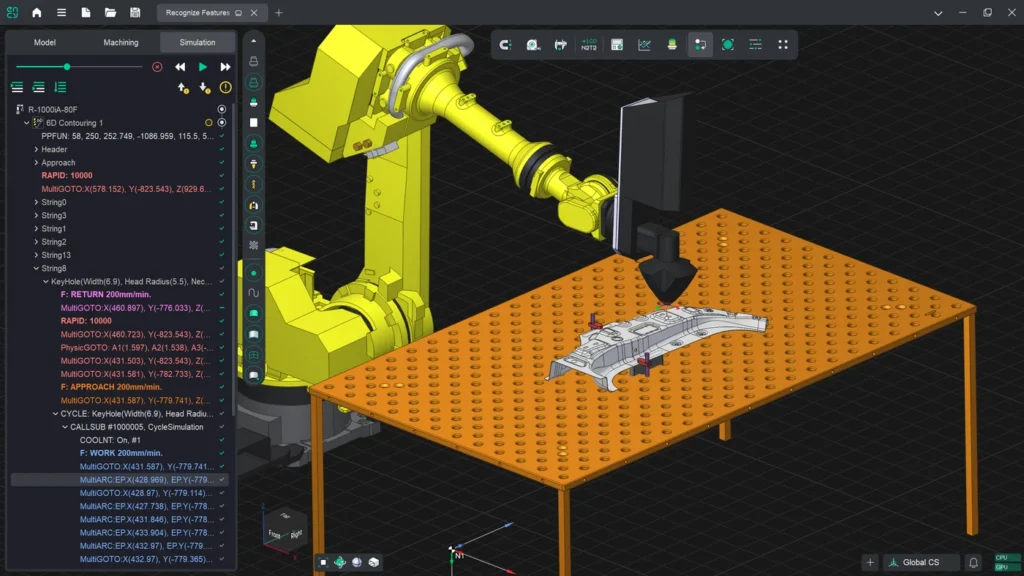
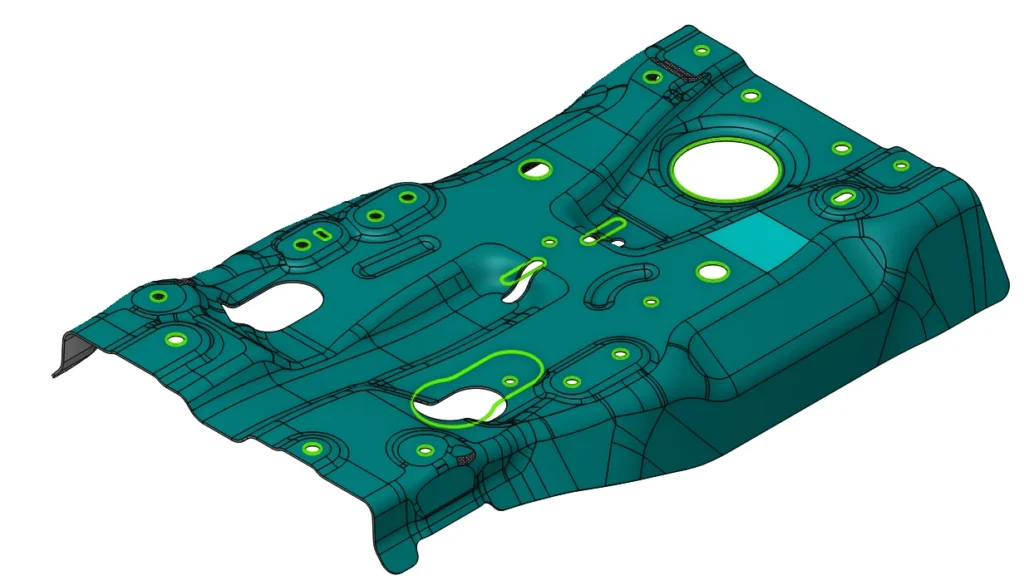
For robotic trimming and spatial contouring, more reliable feature recognition in 6D Contouring helps programmers define the machining job. Supported cladding operations gain evenly spaced passes across the processing zone.
Nesting now shows the dimensions of reusable sheet remnants, making it easier to assess material available for another job. Undo and Redo also cover parameter changes, so users can explore layout settings and return to an earlier result.
The update includes faster project opening, improvements to the feeds and speeds calculator, and fixes across toolpath calculation, simulation, project handling, and robotic machining.
ENCY 3.2 is available through the built-in updater for customers with an active Software Maintenance Contract. See the full release notes for the complete list of changes.