ENCY 3.2.3: Reusable Tool Setups, Snap-in Fixtures and Face Milling That Trims at Clamps
Save a tool setup once and reuse it in every project, place clamps without typing coordinates, and send a simulation to a customer as one HTML file. The latest ENCY and ENCY Robot update also expands robotic machining and nesting.
ENCY Software has released ENCY 3.2.3. It includes all changes from updates 3.1.7 and 3.1.8, from tooling and workholding setup to toolpath programming and sharing simulations.
Set up your tools once
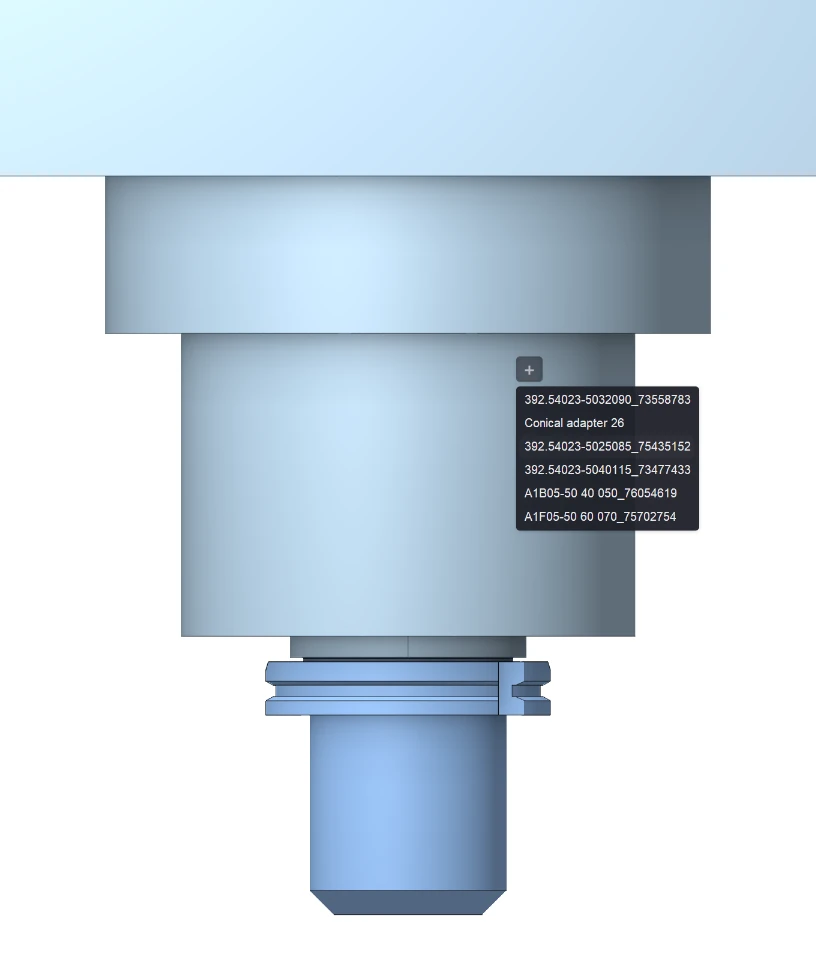
A complete tool set in assembly mode can now be saved to an .mke file and loaded into another project, just like a .tom tool set. A standard tooling configuration carries over to the next part instead of being rebuilt.
Tool positions can be changed directly in the component panel, which shows free and occupied magazine pockets. When you assign a tool to an operation, ENCY offers only the tool types that operation supports. If several operations share a tool, changing its position, magazine, or adapter updates all of them.
Position fixtures with geometry snapping
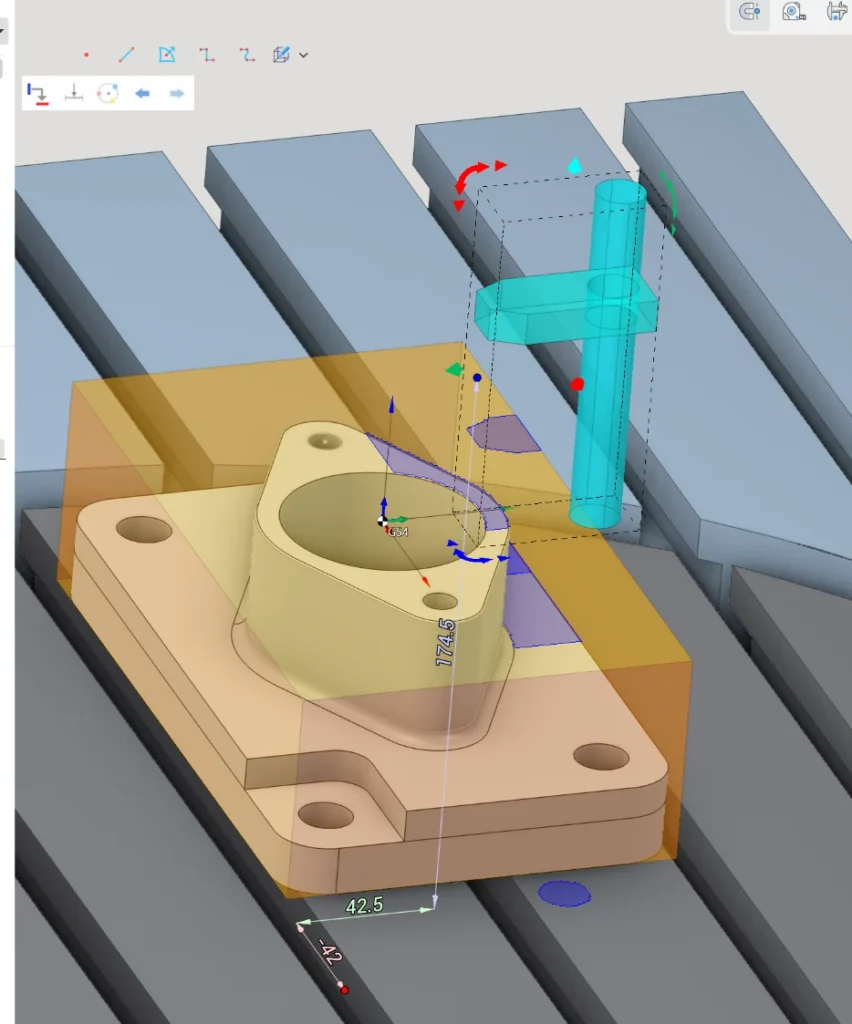
When you drag a clamp along an axis, ENCY highlights the levels it can rest on: the stock, the machine table, a fixture plate, or other workholding. Move it close to a highlighted level and it snaps into place. Levels stay visible on transparent stock, so the workpiece can stay on screen. Snap highlighting requires OpenGL 4.3.
Control finishing passes and machining order
Combo Finish adds a Scallop setting that limits scallop height between passes, with a default calculated from the tool. Clear flats is now available in every strategy except Plane.
In Surfacing, the new By regions sorting completes one area before moving to the next, so there is no need to copy the operation for each area. In 3D and 5D operations, Same as engage applies the approach construction method to the retract as well.
In Roughing Waterline, Step up = Scallop places intermediate levels by scallop height for the tool shape. Vertical walls get no extra levels, and gentle slopes get a finer step.
Account for workholding in Face Milling
Face Milling now trims the toolpath against the part and fixture geometry, and transfer moves above these areas use a clearance plane above the clamps. In Zigzag, the tool no longer makes air passes over material that has already been removed.
The operation trims passes in the affected areas. It does not route the path around fixtures.
Streamline robotic machining preparation
ENCY Robot recognizes part features more reliably in 6D Contouring, which helps define the job assignment for spatial contouring and robotic trimming.
MULTIGOTO commands can now specify a Cartesian pose with X, Y, Z, A, B and C in the part coordinate system. For supported cladding operations, the new Uniform step option spaces passes evenly across the processing zone.
Collision avoidance no longer moves parallelogram links separately, and Update toolpath in the redundant axes optimizer now recalculates the path even when it is locked. In welding, confirming the parameters no longer changes seam vectors, and Flip A1 works in point welding.
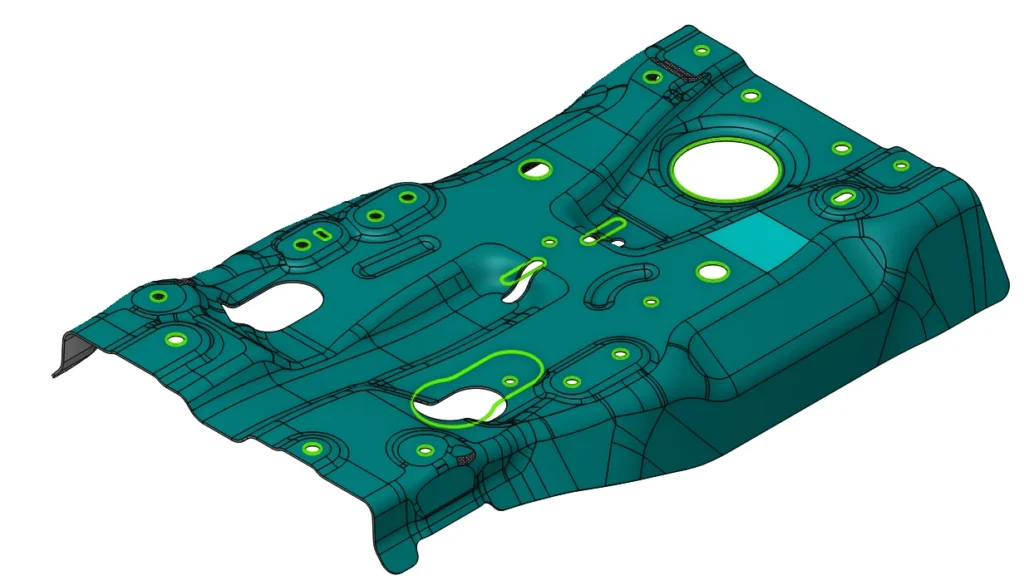
Refine nesting jobs and check reusable remnants
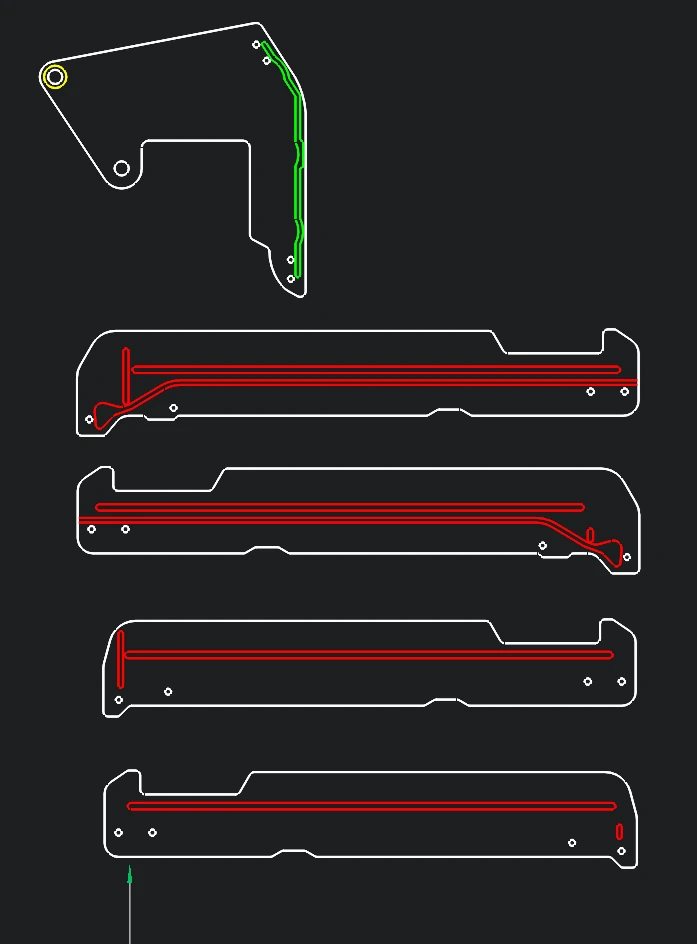
Undo and Redo in the Nesting window now cover parameter changes as well as manual layout edits. Individual contours can be excluded from the calculation while staying in the geometry on the finished sheets, for example a contour pre-milled to a partial depth.
A reusable remnant is shown with a dashed outline and its dimensions. Each part has its own quantity, and a common multiplier scales the whole job.
Share a simulation as a single file
The scene, toolpath and simulation recording can be exported to one HTML file with a built-in viewer. Colleagues and customers open it in a web browser without installing ENCY and see the machining process, equipment, workholding and material removal result.
Other workflow improvements
The feeds and speeds calculator adds separate modes for turning and axial tools. Unsuitable parameter combinations are highlighted, and a tooltip explains why. The redesigned Simplify model window lets you mark features to keep or remove. Projects open faster, and opening an already loaded project switches to its tab. API capabilities, extensions and macro recording have also been expanded.
Fixes and availability
The update fixes issues in toolpath calculation, simulation, project handling and installation. ENCY Robot also includes fixes for axis maps, collision avoidance and welding parameters.
ENCY 3.2.3 is available through the built-in updater for customers with an active Software Maintenance Contract. See the full release notes for details.