From Onshape Directly to ENCY: Fewer Steps from Cloud CAD to CAM
Bring models from Onshape straight into ENCY without manually exporting files or searching through folders. The new Onshape Connector handles geometry conversion and download so you can start programming toolpaths sooner.
ENCY Software has released Onshape Connector for ENCY 3.0. Available in the ENCY Extension Store, the extension imports models from Onshape directly into your active ENCY project.
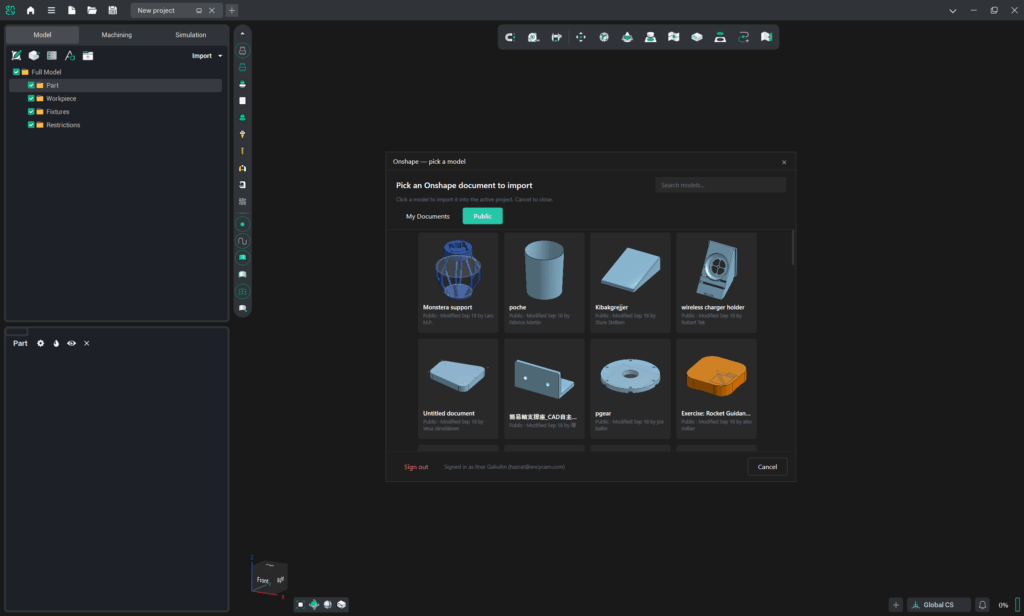
A typical file-based workflow involves several intermediate steps: exporting geometry, downloading it, locating the file, and importing it into the CAM system. The connector automates this process. Select an Onshape document, and its geometry is brought into ENCY for programming.
More Time for Manufacturing Tasks
For teams that design in Onshape and program machining operations in ENCY, the integration simplifies the daily transfer of models between the two systems. Less time spent managing files means more time to focus on machine setup, tool selection, and toolpath creation.
Your own Onshape documents and publicly available models are accessible from within ENCY. Thumbnails and last-modified information help you find the geometry you need, while STEP conversion and download are handled automatically.
The original documents remain in Onshape. The connector uses read-only access and does not modify your CAD models.
Familiar Tools in a Connected Workflow
Onshape Connector lets you keep your preferred design environment while using ENCY to prepare parts for manufacturing. Geometry from cloud CAD becomes the starting point for toolpath generation and machining verification in CAM.
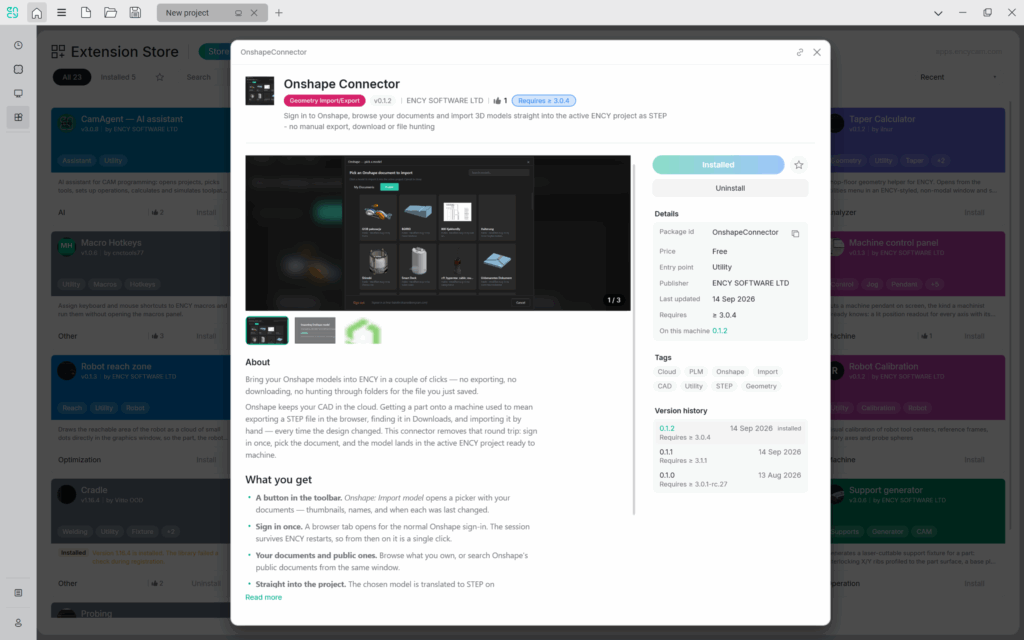
It is one example of how ENCY Extension Store helps teams adapt their software to the way they work. Add the integration as an extension and use it wherever it reduces repetitive tasks in your workflow.
Try Onshape Connector with your own models.
Onshape is a cloud-native product development platform from PTC that combines 3D CAD, product data management (PDM), and real-time collaboration. Engineers can design parts, assemblies, and drawings directly in a browser, work together on the same project, and track changes with built-in version control.