The Steam Controller and an Industrial Robot: An Unexpected Intersection
A standard wireless controller may seem far removed from the factory floor. ENCY Software’s work on ENCY Hyper shows why tactile, analog input can still matter when programming industrial robots and cobots.
Valve’s new Steam Controller is here — ten years after the original model. It sold out quickly, reviews are everywhere, and Valve is already managing demand through a reservation queue.
At first glance, this has little to do with industrial robots and cobots.
In practice, it has a lot to do with how people control machines.
How ENCY Hyper got here
ENCY Software develops ENCY Hyper — a hybrid programming environment for industrial robots and cobots. It combines offline programming on a digital twin with online teaching directly on the real robot, all in one tool.
ENCY Hyper started on touchscreen workstations and now runs on conventional PCs as well. But in real customer deployments, one thing became clear on the shop floor: a touchscreen can be convenient, but it cannot replace tactile control.
For many workflows, that is acceptable. For programming an industrial robot, it is not.
When an operator jogs a robot, they need to feel the input. They need to dose movement, not just press a flat “right” button. They need to feel when motion starts, how fast it accelerates, and when it stops. Without that physical feedback, hesitation appears — and hesitation next to a six-axis arm with a 50 kg payload is exactly what a production environment does not need.
The industry already knows this
Industrial robot manufacturers have never fully abandoned physical controls.
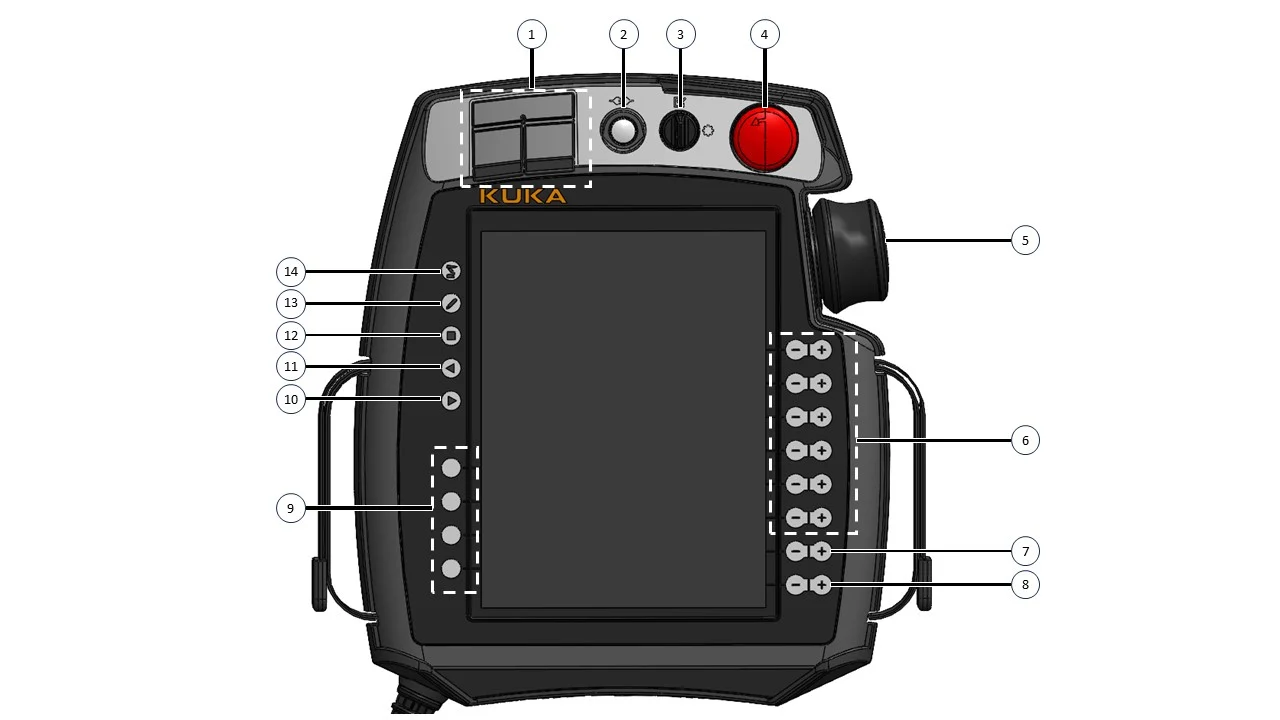
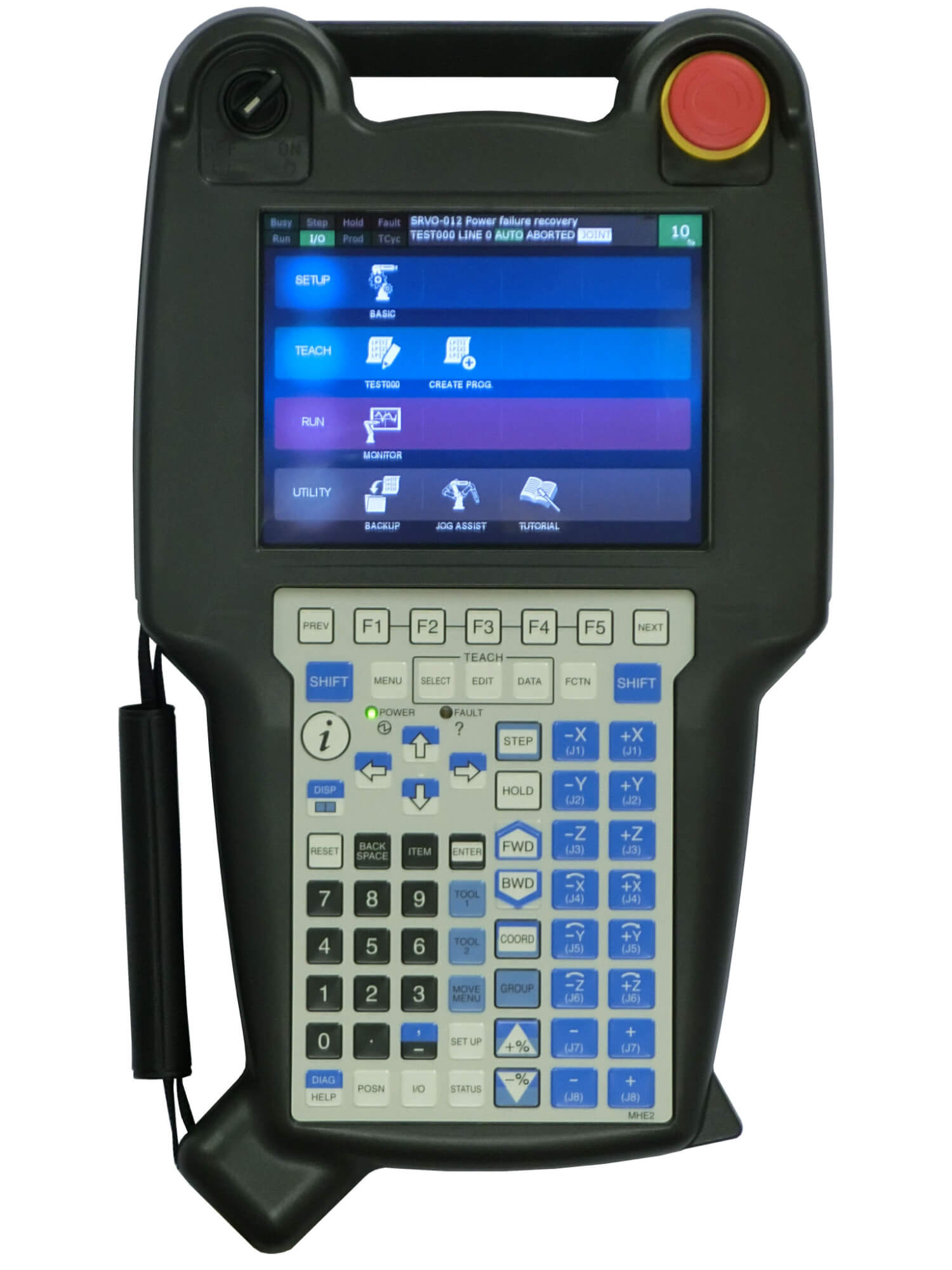
A KUKA teach pendant includes a 6D mouse, hard triggers, and tactile bumps on frequently used keys so an operator can find them without looking. FANUC pendants follow the same logic: raised physical keys, hardware triggers, and clear tactile separation between critical actions.
KUKA smartPAD with callouts: 6D mouse, tactile bumps on key buttons, hard triggers
FANUC iPendant highlighting the raised physical keys and triggers
Every industrial robot, regardless of vendor, also ships with a large physical emergency-stop button. That is not tradition. It is hard-won engineering knowledge.
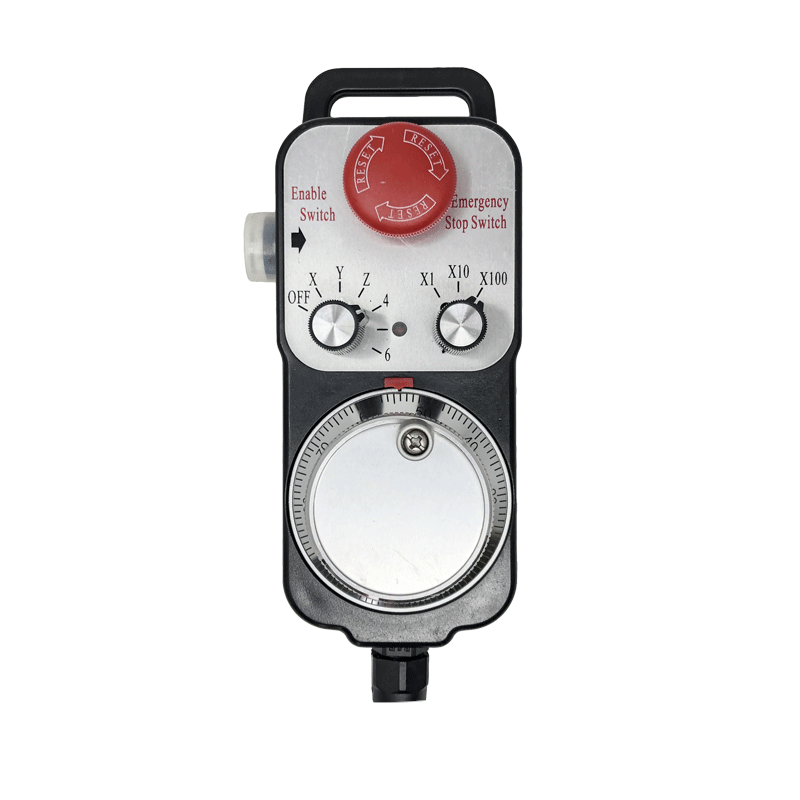
The CNC world reaches the same conclusion. Even when modern machine tools include touchscreens, manufacturers still place a physical handwheel next to them. For axis jogging, the operator’s hand wants to turn something real.
Touchscreens are excellent for visualization, navigation, and configuration. But for controlled motion, the hand still needs hardware.
CNC handwheel (MPG / electronic handwheel)
The constraint: ENCY Hyper is software
ENCY Hyper is universal, cross-platform software. It works with robots from different vendors.
ENCY Software does not build robot teach pendants. Building a proprietary pendant would pull the company into a very different business: hardware design, certification, supply chains, service, and support.
So the question was simple: How can ENCY Hyper give users a physical-control alternative without becoming a hardware company?
Before reinventing a device from scratch, it made sense to look at where similar problems had already been solved.
And they had been solved many times — in submarines, drones, aviation operator stations, and other serious control environments. These industries rely on controllers and joysticks not because they resemble gaming devices, but because the ergonomics work.
Then the obvious option became hard to ignore: a wireless controller. It is inexpensive. It is widely available. It has standard OS-level drivers. It provides two analog sticks, analog triggers, and multiple physical buttons. And it is designed to survive repeated, rough, real-world use.
Why a controller makes sense
A custom microcontroller device with a 3D-printed housing and a few buttons might sound attractive at first. But consumer controllers already solve several problems that industrial software teams should not have to solve again.
Ruggedness is already paid for. Controllers are built for one of the most demanding consumer-electronics user bases. They are dropped, pressed hard, used for thousands of hours, and expected to keep working. Manufacturers have spent decades improving analog sticks, triggers, button cycles, grips, dust tolerance, splash resistance, and reliability.
Ergonomics is already solved. Stick placement, trigger feel, grip geometry, and button separation are the result of enormous user testing at global scale. A controller fits naturally in the hand because millions of users have already refined that form factor through use.
Analog input matters. For robot teaching, this is the key advantage. A quality controller gives smooth input through sticks and triggers. The operator can gradually increase joint speed, rotate a tool, or approach a TCP point with much finer control than a binary button allows.
Availability is practical. If a proprietary teach pendant fails, replacement may depend on OEM stock and lead time. If a standard controller fails, a replacement can often be purchased locally the same day. That matters when production is waiting.
Wireless operation fits the task. Operators can approach the cell, stand at a practical distance, and move around the robot without dragging a heavy pendant through the workspace. The compute and robot communication remain on the machine running ENCY Hyper.
Why not a smartphone?
Smartphone-based control was also considered: gyro, accelerometer, touchscreen button maps. On paper, it looks elegant. In practice, it introduces the wrong risks.
Phones do not have true analog buttons. At best, they provide discrete volume buttons and a flat touchscreen. Gyroscopic control is also problematic in an industrial environment. A dropped phone, a saturated sensor, or an unintended motion input should never become part of a robot jogging workflow.
A controller solves both problems: physical analog input and predictable hand-held behavior.
How it works in ENCY Hyper
Connecting a consumer controller directly to an industrial robot would be complex. Robots use different communication protocols, control cycles, and safety architectures.
ENCY Hyper already acts as the software bridge between the operator, the digital twin, and the real robot.
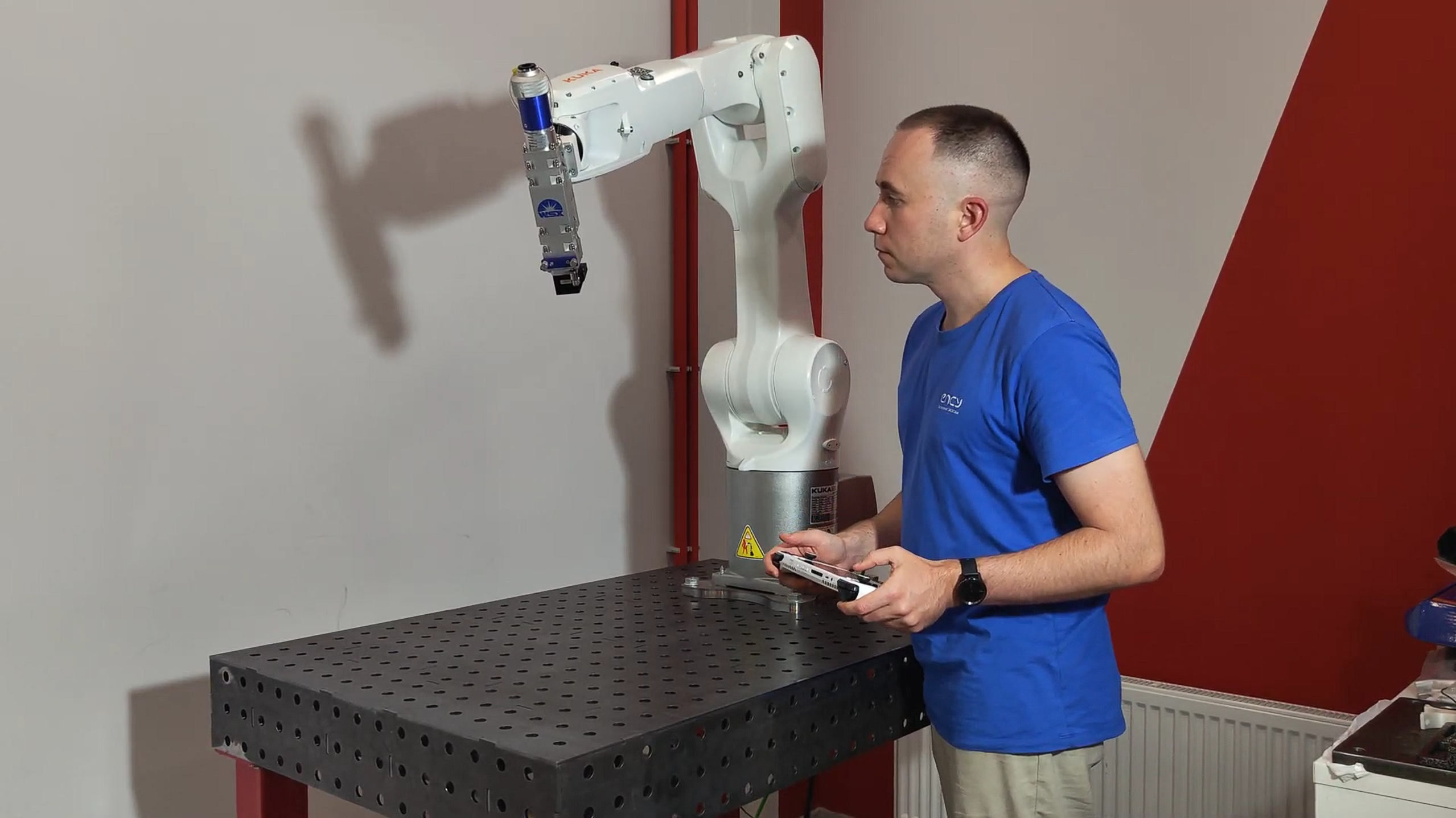
The controller connects to the computer through standard OS drivers. ENCY Hyper receives the input, applies it to the digital twin, and sends the corresponding continuous control stream to the real robot through the vendor’s native driver.
The result is a closed interaction loop: thumb on stick → motion on screen → motion on the real robot axis with no perceptible delay for the operator.
The controller does not replace certified safety hardware. Emergency stop, enabling devices, robot limits, and all required safety systems remain where they belong. The controller serves a different purpose: giving the operator precise, physical input for jogging, motion control, and online teaching.
KUKA controlled by ENCY Hyper on Asus Rog Ally handheld
A consumer device solving an industrial problem
The interesting part is not that ENCY Hyper can use a wireless controller. The interesting part is that the controller already represents decades of iteration. Hundreds of millions of devices have shaped the design. Every generation became more durable, more precise, and more comfortable. Sticks became smoother. Triggers became analog. Grips became better suited to human hands.
Not every industrial problem has to be solved by a device built specifically for industry. Sometimes the best tool for a production workflow comes from another field entirely — if the ergonomics, reliability, and availability are already there.
ENCY Hyper takes advantage of that. It does not require a proprietary pendant. It accepts the controller the user already has — and turns it into a practical physical-control interface for robot programming.
