Understanding the Difference Between CAD, CAM, and CAE: A Comprehensive Guide
In modern manufacturing and engineering, CAD (Computer-Aided Design), CAM (Computer-Aided Manufacturing), and CAE (Computer-Aided Engineering) are three essential technologies that streamline product development. While these systems are interconnected, each serves a distinct purpose in the product lifecycle. Understanding the differences between CAD, CAM, and CAE helps companies choose the right tools to optimize their workflows and improve production efficiency. This article aims to provide a comprehensive overview, including comparisons, applications, and integration strategies.
Comparison Table: CAD vs CAM vs CAE
To better understand how CAD, CAM, and CAE differ, let's examine their core purposes, functionalities, and applications across industries. These differences are key to selecting the right tool for your specific needs and ensuring efficient integration across various manufacturing workflows.
| Feature | CAD (Computer-Aided Design) | CAM (Computer-Aided Manufacturing) | CAE (Computer-Aided Engineering) |
|---|---|---|---|
| Primary Purpose | Design and drafting | Manufacturing and machining | Simulation and analysis |
| Main Users | Engineers, designers | Machinists, CNC programmers | Analysts, engineers |
| Key Functionality | 3D modeling, 2D drafting | Toolpath generation, CNC control | Structural, thermal, and fluid simulations |
| File Formats | DWG, DXF, STEP, IGES | NC codes, G-code, APT | FEA, CFD, structural analysis files |
| Software Examples | AutoCAD, SolidWorks, CATIA | Mastercam, ENCY, Fusion 360 | ANSYS, Simcenter, Abaqus |
| Industry Applications | Automotive, aerospace, consumer goods | CNC machining, 3D printing | Structural analysis, thermal testing |
| Integration Requirement | High (with CAM & CAE) | Requires CAD input | Needs CAD models for simulation |
Technical Requirements for CAD, CAM, and CAE

To run CAD, CAM, and CAE software efficiently, companies must ensure that their hardware and infrastructure meet certain technical requirements. These requirements vary based on the complexity of the software and the scale of the projects being handled.
Hardware Requirements
- CPU: High-performance multi-core processors (e.g., Intel i7/i9, AMD Ryzen 7/9) are recommended for handling complex calculations and simulations.
- GPU: Professional-grade graphics cards (e.g., NVIDIA Quadro, AMD Radeon Pro) for rendering 3D models and running simulations.
- RAM: A minimum of 16GB is recommended for CAD and CAM, while CAE may require 32GB or more for handling large simulations.
- Storage: SSDs with at least 1TB of storage capacity for faster read/write speeds and quick access to large project files.
- Networking: High-speed internet and secure local network infrastructure to support collaboration and data sharing.
- Peripherals: High-resolution monitors, 3D mice, and other ergonomic input devices to improve workflow efficiency.
Software Requirements
- Operating System: Windows 10/11 (64-bit) or Linux distributions compatible with specific software packages.
- Software Compatibility: Ensure that CAD, CAM, and CAE software versions are compatible and can exchange data seamlessly.
- Licensing: Proper software licensing to avoid legal issues and ensure access to technical support.
Choosing the Right System for Your Needs
Deciding which system to use depends heavily on your specific industry, production goals, and technical requirements. Whether you're focused on design, manufacturing, or engineering analysis, each system offers distinct advantages. The following recommendations can guide your decision-making process.
- For product designers and engineers: CAD is essential for creating detailed 2D and 3D models, allowing you to visualize concepts and refine designs before moving into production.
- For manufacturers and CNC operators: CAM is necessary for translating designs into machine instructions, ensuring that parts are manufactured with precision and efficiency.
- For engineers performing simulations and testing: CAE tools are ideal for analyzing structural integrity, thermal properties, and fluid dynamics to predict real-world performance.
- For companies aiming for full integration: Using all three systems ensures seamless product development, manufacturing, and testing, leading to higher efficiency and product quality.
ENCY
CAD/CAM for a new generation
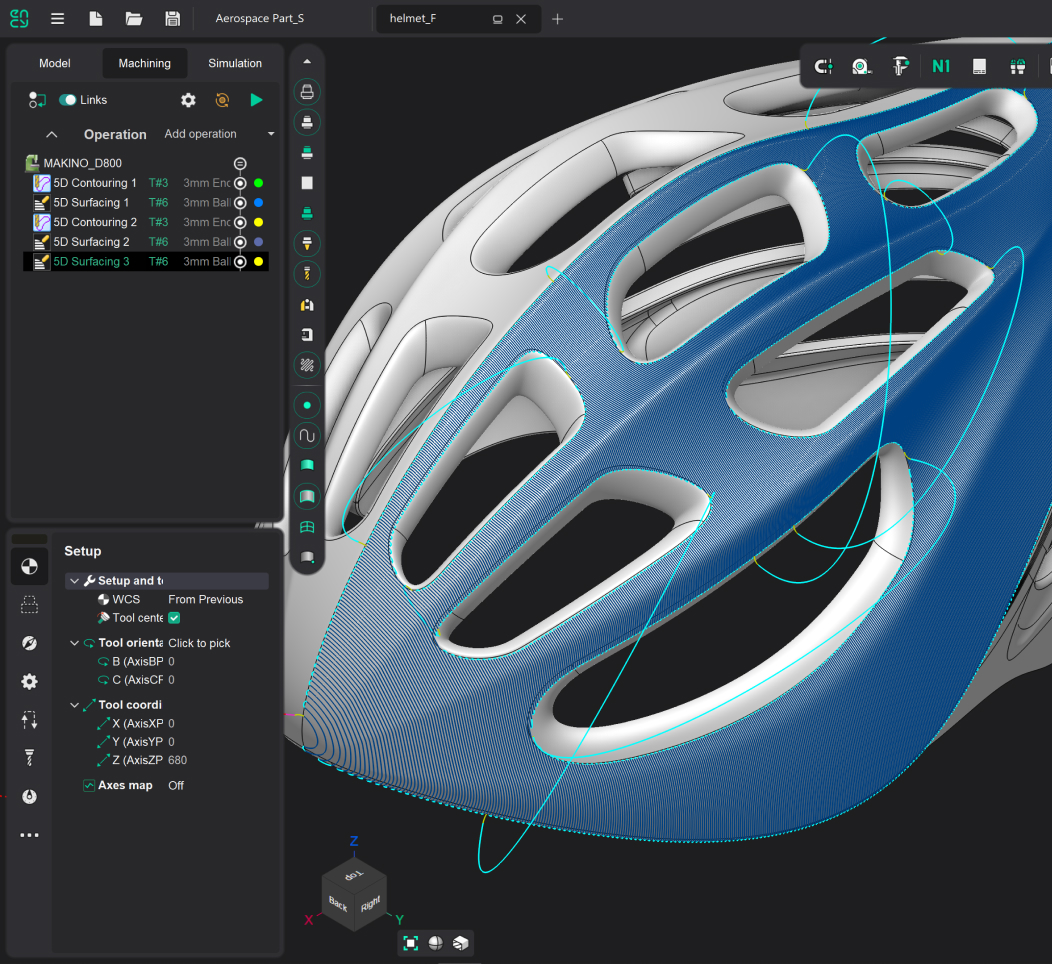
- Transform complex CAM tasks into simple workflows with an intuitive, state-of-art interface designed for 4K displays
- Access comprehensive machining strategies from 3-axis to 5-axis, including HSM, mill-turn, and additive manufacturing
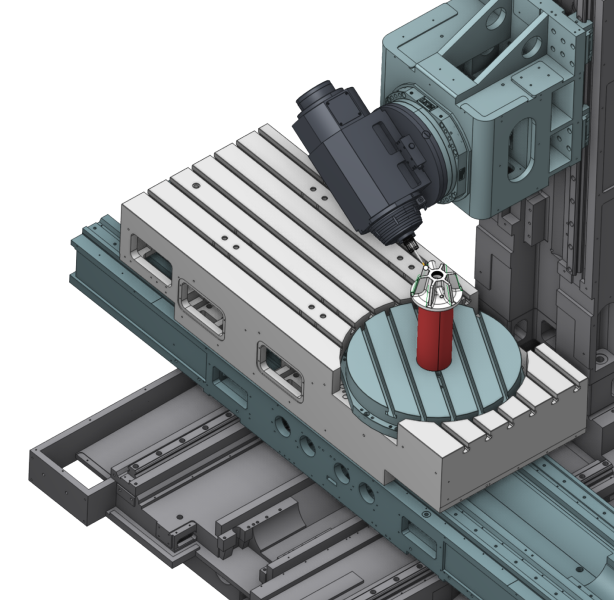
- Simulate and verify NC code before running it on your machine with ultra-fast voxel and high-precision solid simulation
- Save time with machine-aware toolpaths that are automatically optimized for your equipment's specific constraints
Workforce Requirements for CAD, CAM, and CAE

To fully leverage the benefits of CAD, CAM, and CAE, companies must invest in personnel with specialized skills and training. This section provides an overview of the qualifications and training needed to operate these systems effectively.
CAD Operators:
- Experience: Minimum 2-3 years of experience in mechanical design or drafting.
- Skills: Proficiency in 3D modeling, technical drawing, and design principles. Familiarity with software like AutoCAD, SolidWorks, or CATIA.
- Education: Degree in engineering, architecture, or related field.
CAM Programmers:
- Experience: 3-5 years of experience in CNC programming or manufacturing.
- Skills: Knowledge of CNC machining, toolpath optimization, and post-processing. Experience with software like Mastercam or ENCY.
- Education: Degree or certification in manufacturing, mechanical engineering, or CNC programming.
CAE Analysts:
Experience: 5+ years of experience in engineering analysis or simulation.
Skills: Strong background in physics, engineering mathematics, and simulation techniques. Proficiency with tools like ANSYS, Simcenter, or Abaqus.
Education: Degree in mechanical engineering, aerospace engineering, or a related field.
Training & Certifications
Industry-recognized certifications validate the skills and expertise required for using CAD, CAM, and CAE software effectively.
- CAD: Certified SolidWorks Professional (CSWP), AutoCAD Certified User.
- CAM: ENCY Software Certification, CNC Programming Training.
- CAE: ANSYS Certification, Finite Element Analysis (FEA) Training.
Evaluating the Efficiency of CAD, CAM, and CAE Implementation
Evaluating the efficiency of CAD, CAM, and CAE implementation is essential for maximizing their impact on production. This involves using specific tools, metrics, and methodologies to assess performance and identify opportunities for improvement.
Methodology for Evaluating Efficiency
Measuring the efficiency of these systems involves using various tools and methods to evaluate key performance indicators (KPIs). This section details common methodologies for assessing efficiency.
- Time Tracking Tools: Used to measure design cycle time and production efficiency.
- Quality Control Metrics: Assess the quality and durability of finished goods.
- Cost Analysis Software: Measures ROI by tracking cost savings and labor hours.
- Simulation Software: Monitors error rates and performance improvements.
Key Metrics
- Design Cycle Time: How quickly products move from concept to production.
- Production Efficiency: Reduction in material waste and machining errors.
- Product Quality: Improved durability and performance of finished goods.
- Return on Investment (ROI): Cost savings from optimized processes and reduced labor hours.
Establishing Baseline Metrics
Establishing baseline metrics is crucial for effective evaluation. This involves:
- Conducting an initial assessment of current processes.
- Documenting average design and production times.
- Measuring error rates and defect frequencies.
- Recording baseline material usage and waste levels.
Typical Challenges and Solutions
- Resistance to Change: Addressed through training programs and change management strategies.
- Data Accuracy Issues: Resolved by implementing standardized data entry and tracking practices.
- Software Integration Problems: Minimized by conducting thorough compatibility testing before implementation.
Frequency of Evaluations and Corrective Actions
- Regular Evaluations: Efficiency should be evaluated quarterly to identify trends and areas for improvement.
- Corrective Actions: Based on evaluation results, companies should update training programs, refine workflows, and optimize software settings.
Try ENCY for free - 30 days of full access
ENCY is a CAD/CAM ecosystem that streamlines the path from design to finished parts. Precision, speed, and efficiency—all in one solution.
- Machine-aware toolpaths
- State-of-the art simulation
- NC-code verification
- Cloud collaboration
Economic Aspects of CAD, CAM, and CAE
The economic impact of implementing CAD, CAM, and CAE systems in an organization can be significant. While these technologies offer substantial benefits in terms of design accuracy, manufacturing precision, and product performance, they also come with various costs. Understanding the financial aspects, including both direct and hidden expenses, is essential for making informed decisions about these investments. This section explores the costs, hidden expenses, cost savings, return on investment (ROI), and total cost of ownership (TCO) associated with CAD, CAM, and CAE systems.
Cost Analysis
- CAD Software Costs: Licensing fees range from $1,000 to $10,000 per user annually.
- CAM Software Costs: Varies based on complexity; high-end solutions can exceed $15,000 per license.
- CAE Software Costs: Simulation software can cost $5,000–$30,000 depending on functionality.
Hidden Costs
- Training Costs: Expenses related to employee training and certification.
- Customization and Setup: Time and cost required for initial system setup and customization.
- Maintenance Costs: Regular software updates, hardware maintenance, and support services.
- Downtime Costs: Production halts during implementation or troubleshooting.
Cost Savings & Benefits
- CAD: Reduces prototyping costs by enabling virtual design validation.
- CAM: Decreases machining errors, minimizing material waste.
- CAE: Prevents costly failures by predicting real-world performance.
Return on Investment (ROI) Timeframes
- Small-scale Production: ROI typically achieved within 1-2 years.
- Medium-scale Production: ROI typically achieved within 2-4 years.
- Large-scale Production: ROI typically achieved within 3-5 years, depending on complexity.
Total Cost of Ownership (TCO)
Calculating TCO involves:
- Initial Costs: Software licensing, hardware, and initial training.
- Ongoing Costs: Maintenance, support, and additional training over time.
- Hidden Costs: Downtime, customization, and integration expenses.
It is important to review TCO annually to identify areas where cost savings can be achieved and to ensure that the systems are providing optimal value.
Conclusion
Understanding the distinctions between CAD, CAM, and CAE is crucial for selecting the right tools in any engineering or manufacturing environment. While each system serves a unique purpose, their integration significantly enhances production efficiency, product quality, and cost-effectiveness. Companies investing in these technologies must ensure proper training, integration planning, and ongoing evaluation to maximize their benefits.
FAQ
