ENCY Tuner: Shop-floor
NC-code simulation software

NC-code simulation, fine-tuning, and re-engineering for CNC machines and industrial robots
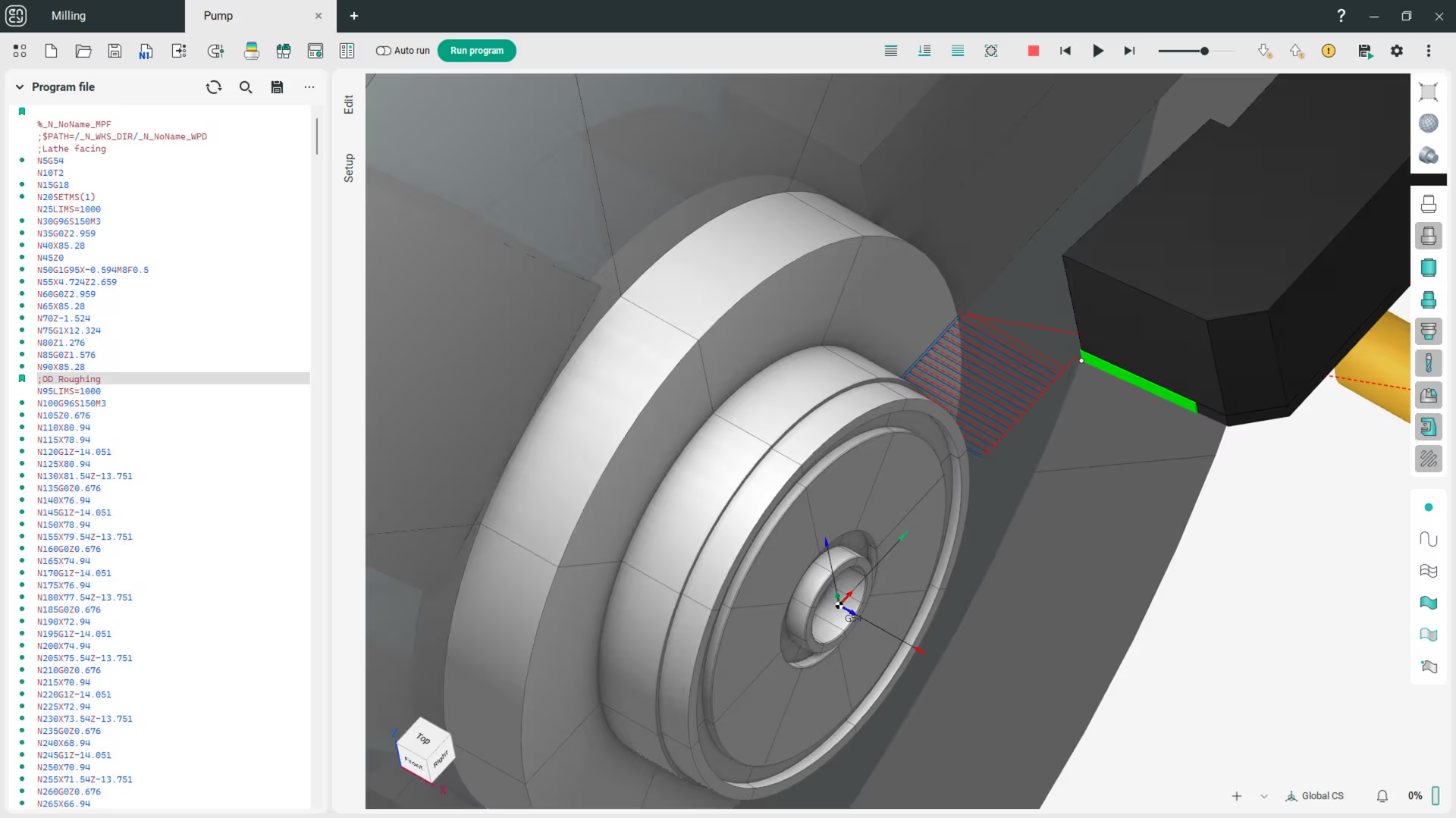
NC code simulation

NC-code files compare

Full machine simulation

NC-code preview

Material removal simulation

Machine setup definition

NC-code editing

NC-code reengineering

Collaboration

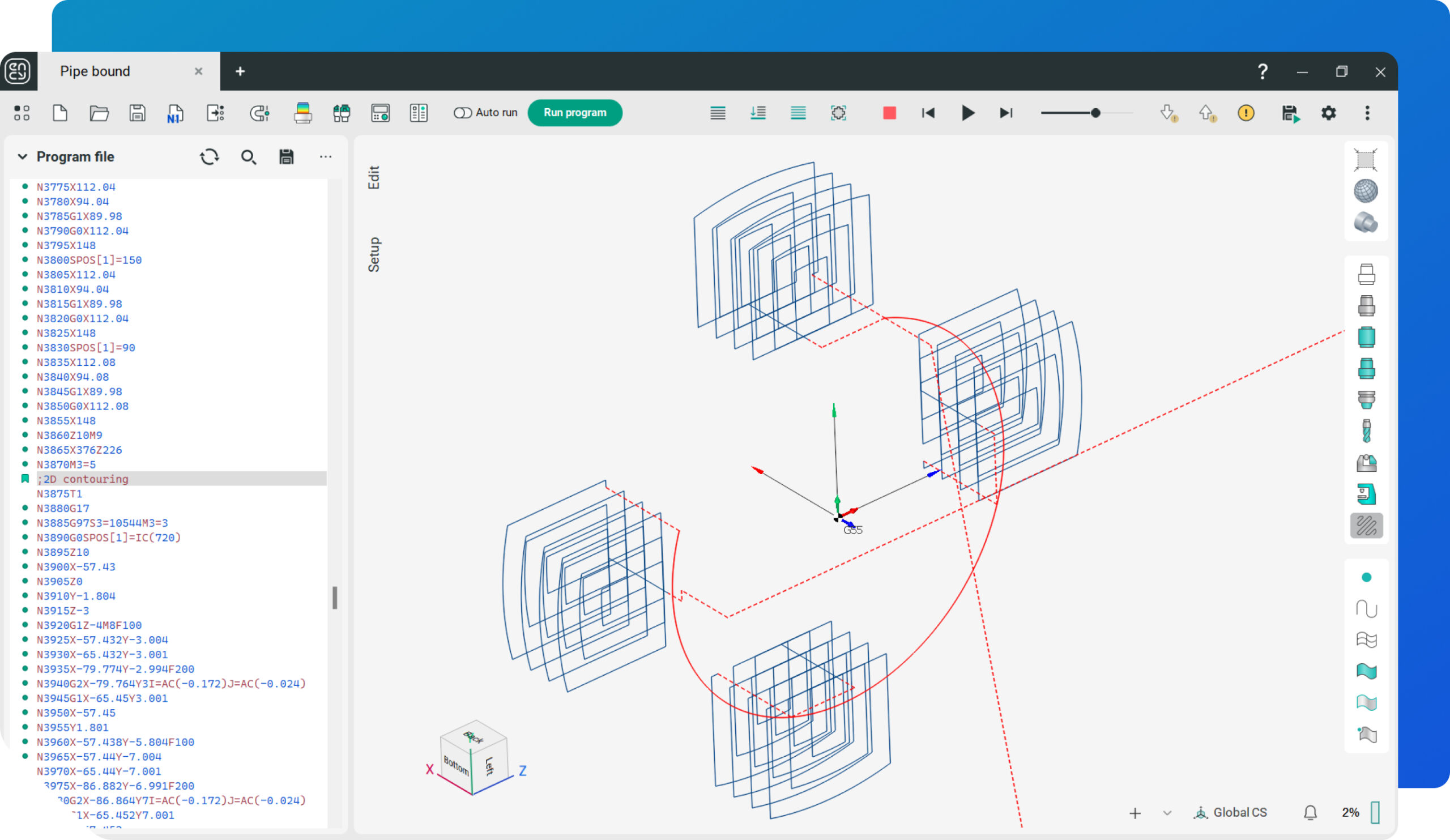
A detailed view of a NC code simulation showcasing a cylindrical component.

NC-code

Workpiece

Toolpath

Cutting tool

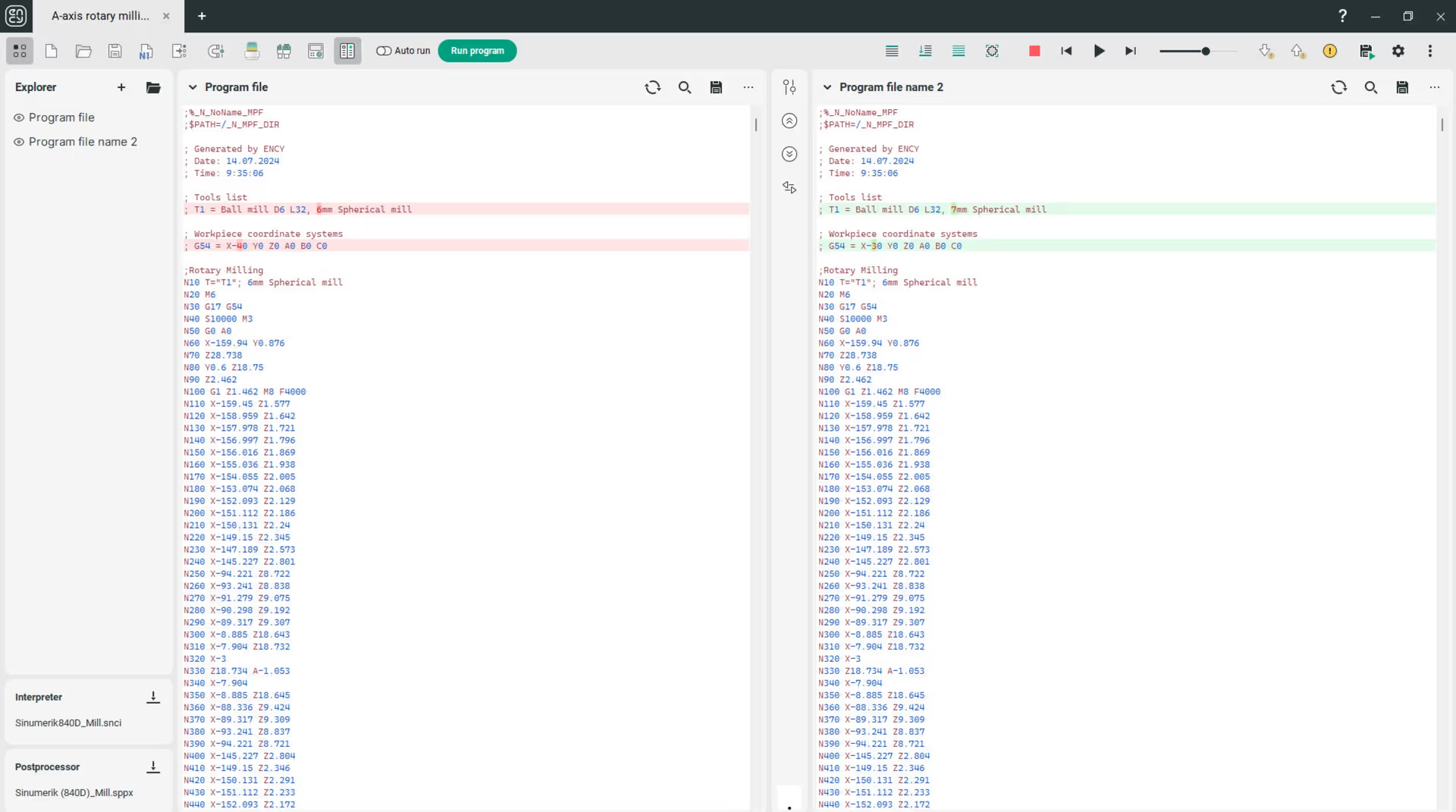
Two NC code files are compared side by side on a screen.

Highlighted distinctions

Quick navigation

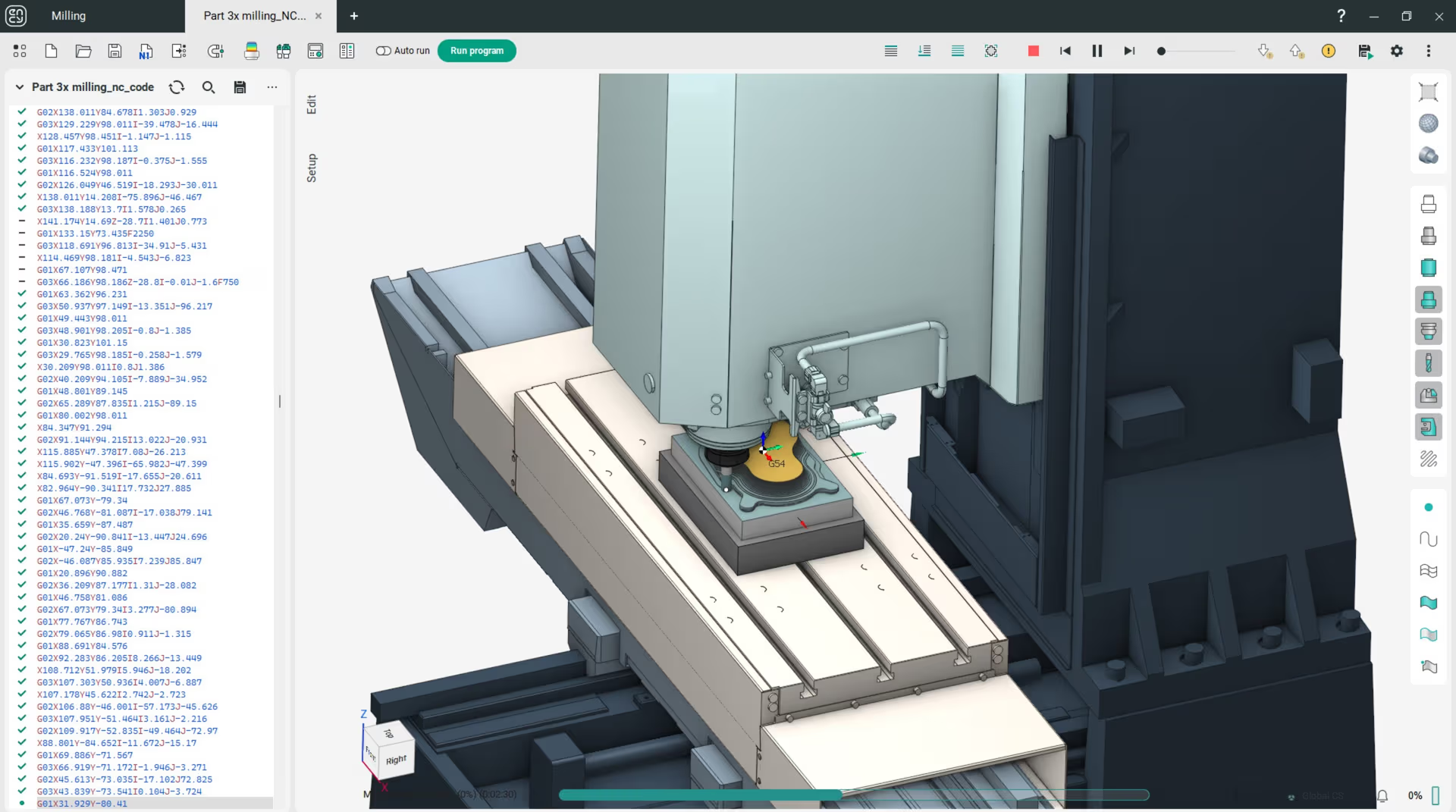
A machine simulates precision machining of a metal workpiece.

CNC machine digital twin

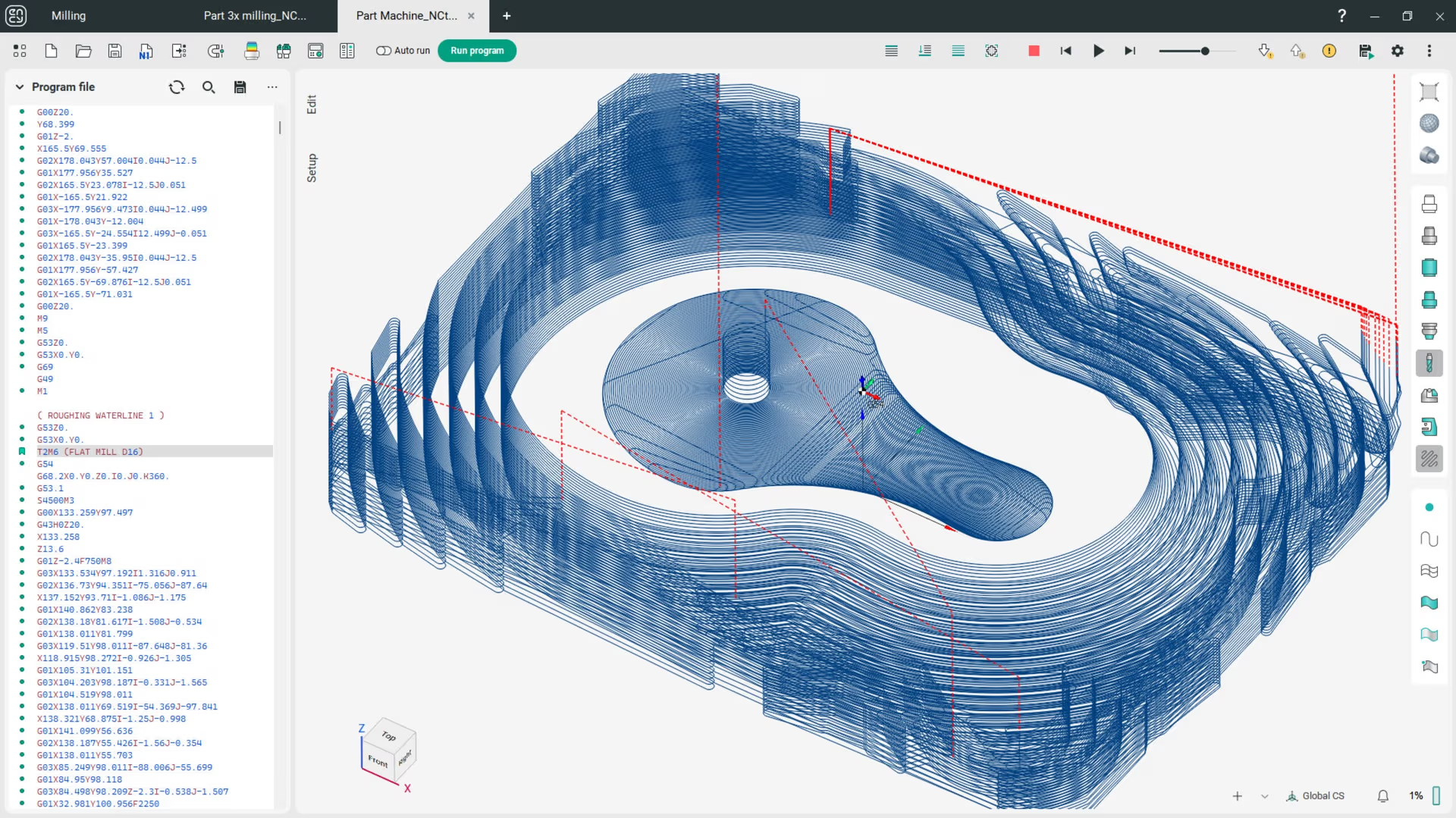
3D rendering of an eye-shaped design with technical measurements.

Toolpath preview

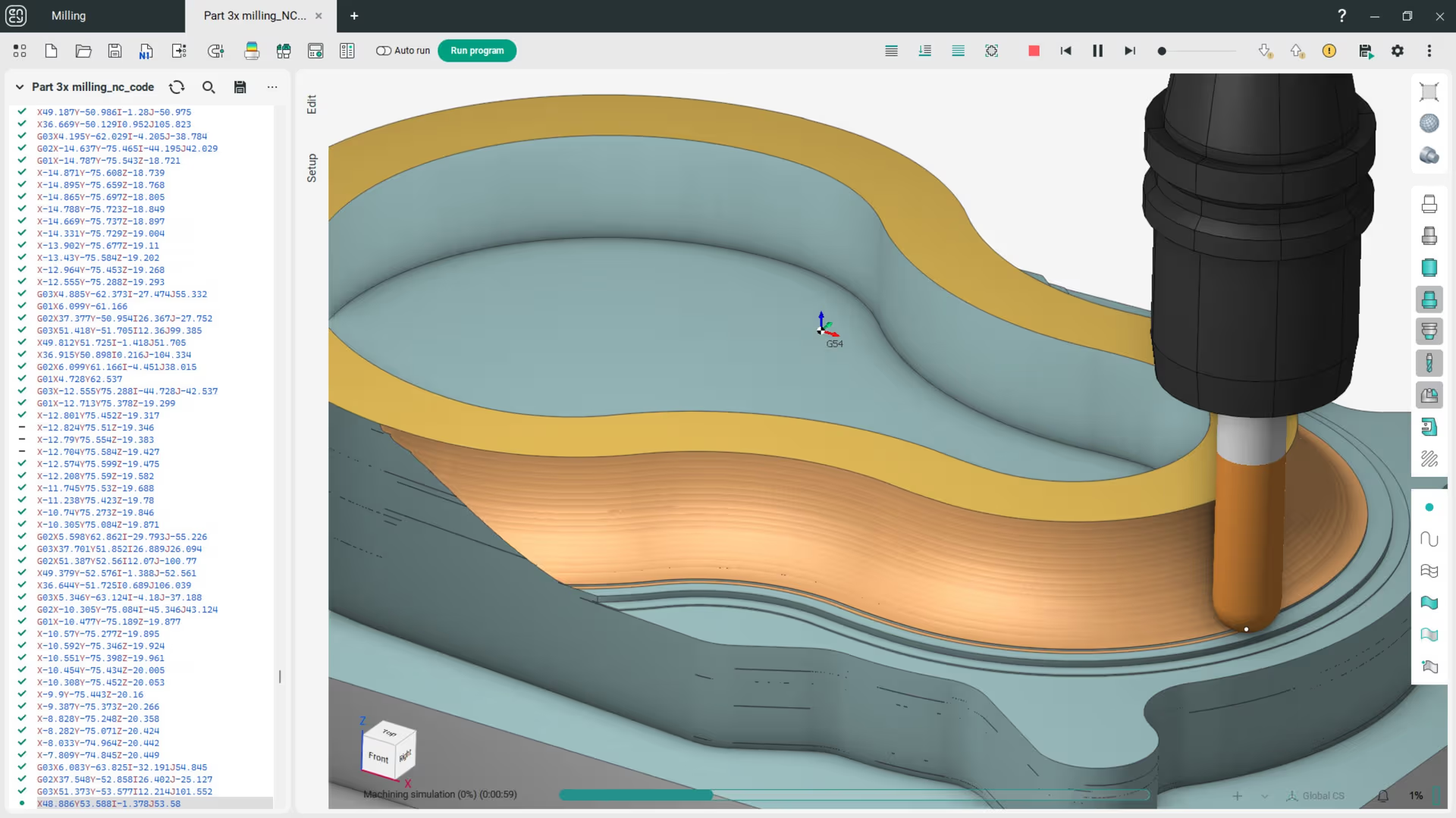
A simulation showing material removal in a layered structure.

Workpiece

Cutting tool

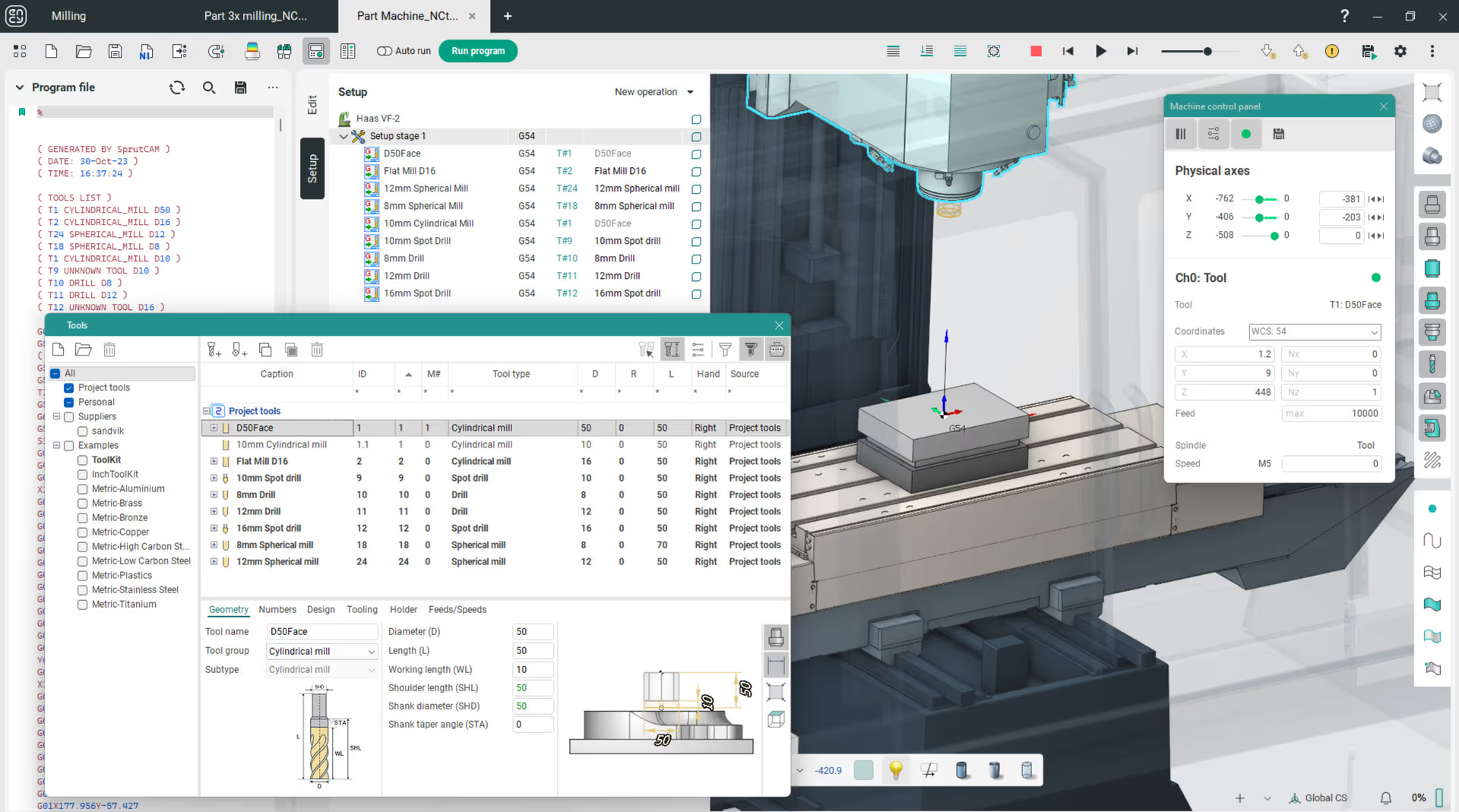
A digital interface displaying machine setup and management tools.

Tools

Setup

Machine control panel

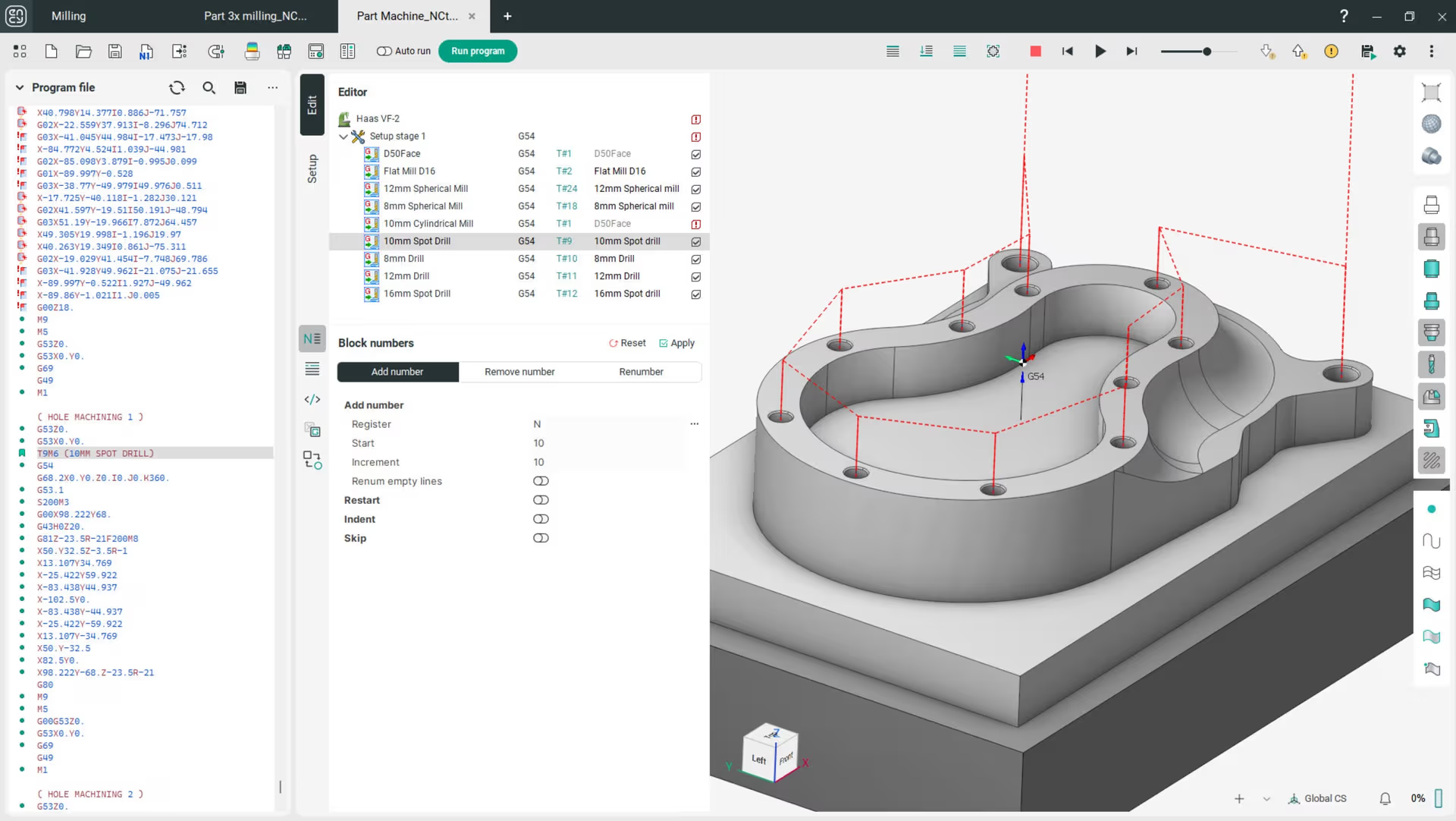
A user is editing numerical control (NC) code on a computer.

NC-code

Editor

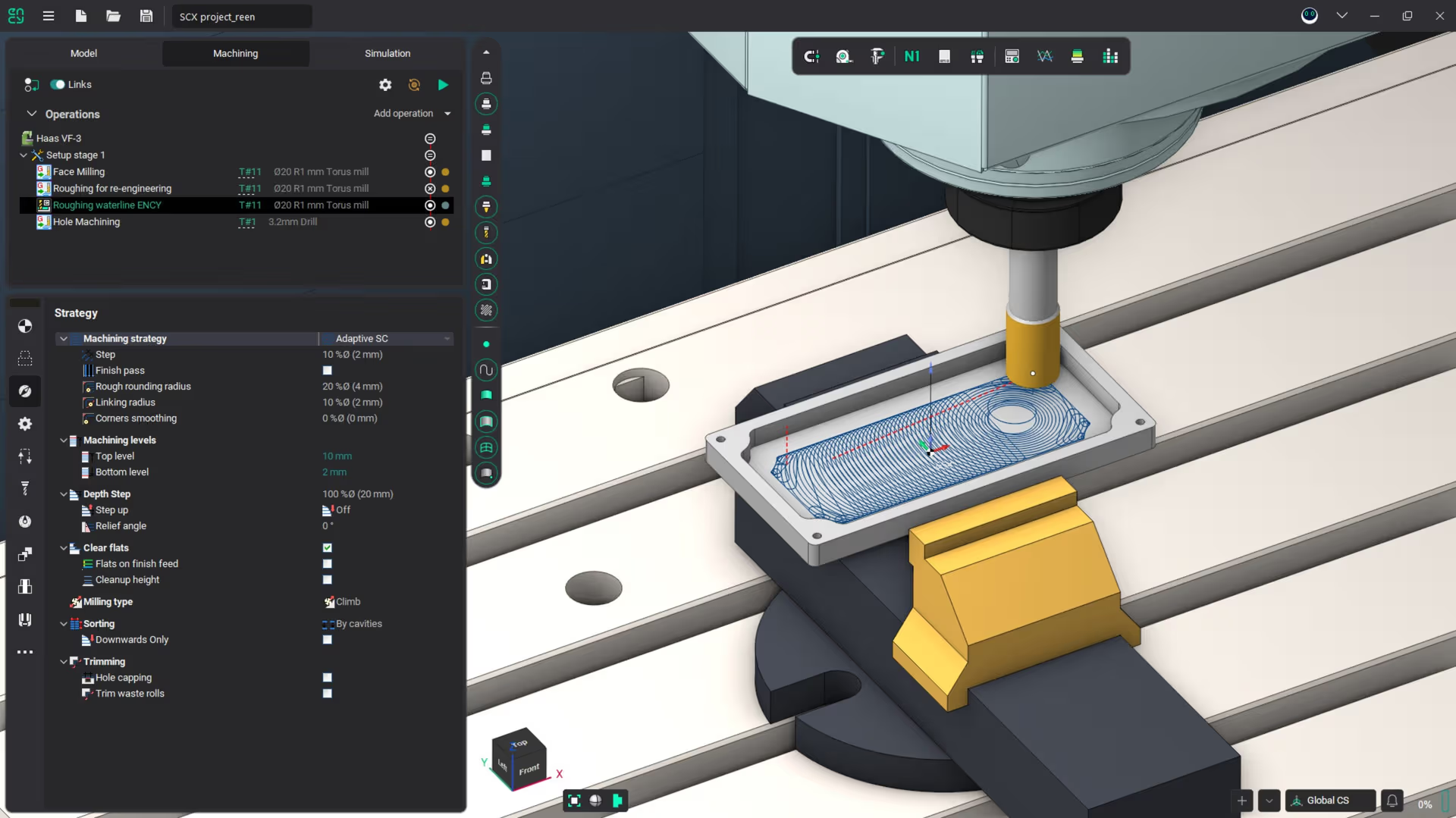
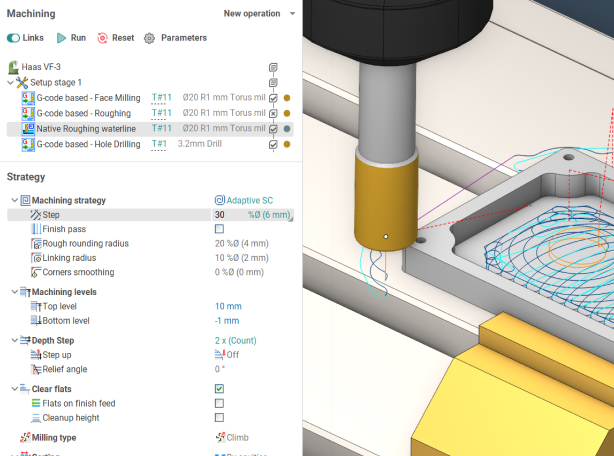
NC code reengineering visualization with a CNC machine in action.

ENCY Tuner project imported in ENCY

Old toolpath

Recalculated toolpath

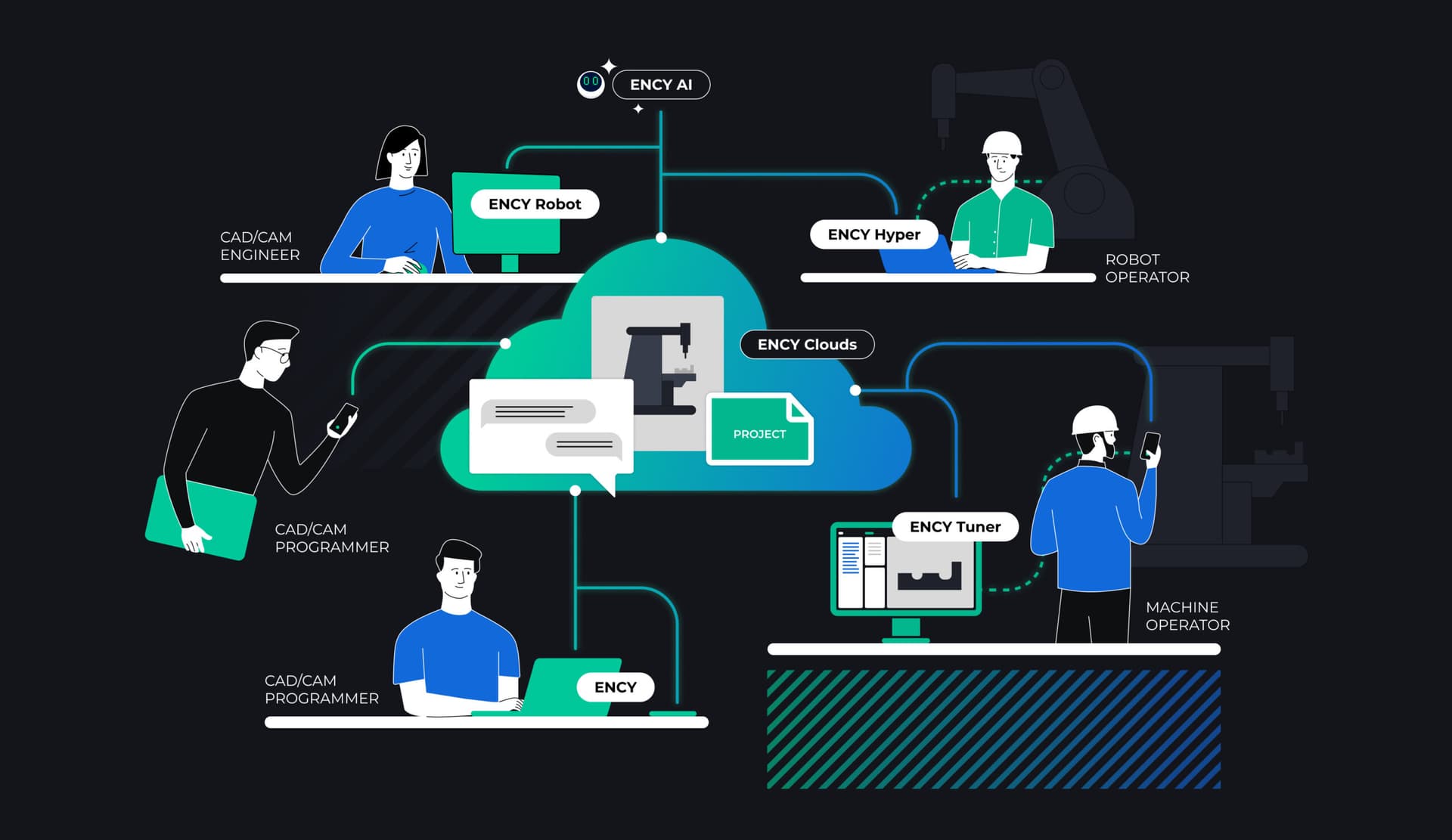
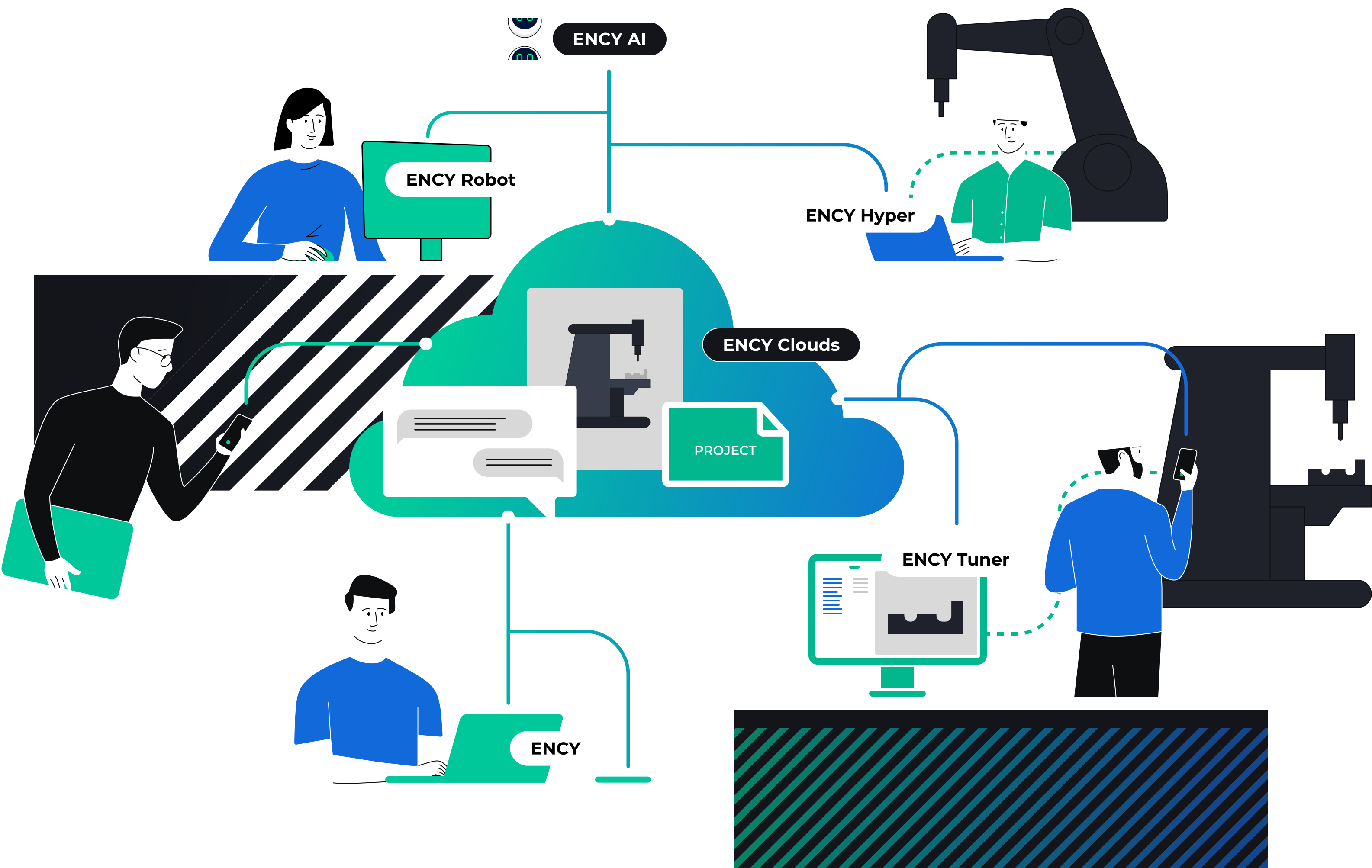
Digital collaboration network diagram showcasing ENCY's tools.

ENCY Tuner is part of ENCY X: new CNC machines programming experience

Ultimate shop-floor NC-code fine tuning software

NC code quick preview displaying 3D model with grid overlays.

NC-code quick preview

Experience zero-friction NC-code previews for rapid file identification and evaluation. This feature allows you to quickly preview NC-code before running it on a real machine. Additionally, you can edit NC-code directly from the preview, enhancing your workflow efficiency.

NC programming code is being edited in a user-friendly interface.

NC-code editing

Industry-standard tool for direct NC-code editing includes comprehensive features like numeration and renumeration, string insertion and removal, and character case changes. You can skip blocks, lines, spaces, and comments with ease. Additionally, it offers advanced capabilities such as register address and value changes, as well as toolpath transformation tools including move, rotate, mirror, and equidistant shift.

3D simulation depicting a mechanical component assembly process.

Simulation

Full machining process simulation includes detailed machine movements, workpiece handling, tools, fixtures, and material removal.

ENCY Tuner simulation features collision detection, part gauge detection, and machining quality visualization, ensuring a precise and reliable workflow.

A machine setup visual shows a detailed machinery component with digital controls.

Machine setup

The machine setup file contains a digital twin of the machine, along with tools, fixtures, and workpiece setup data. Create it once and reuse it across various projects, saving time and streamlining your workflow.

3D model of a machined component being analyzed for quality control.

Machining result control

“Verify and compare” tool to visualizes unmachined areas and part gauges, ensuring precision and quality in your machining process.

NC code quick preview displaying 3D model with grid overlays.
NC programming code is being edited in a user-friendly interface.
3D simulation depicting a mechanical component assembly process.
A machine setup visual shows a detailed machinery component with digital controls.
3D model of a machined component being analyzed for quality control.

Discover ENCY 2.0

Simply Packed with innovation, beauty, and power – now enhanced with AI – driven performance, advanced automation, and smarter control of CNC and robot kinematics.

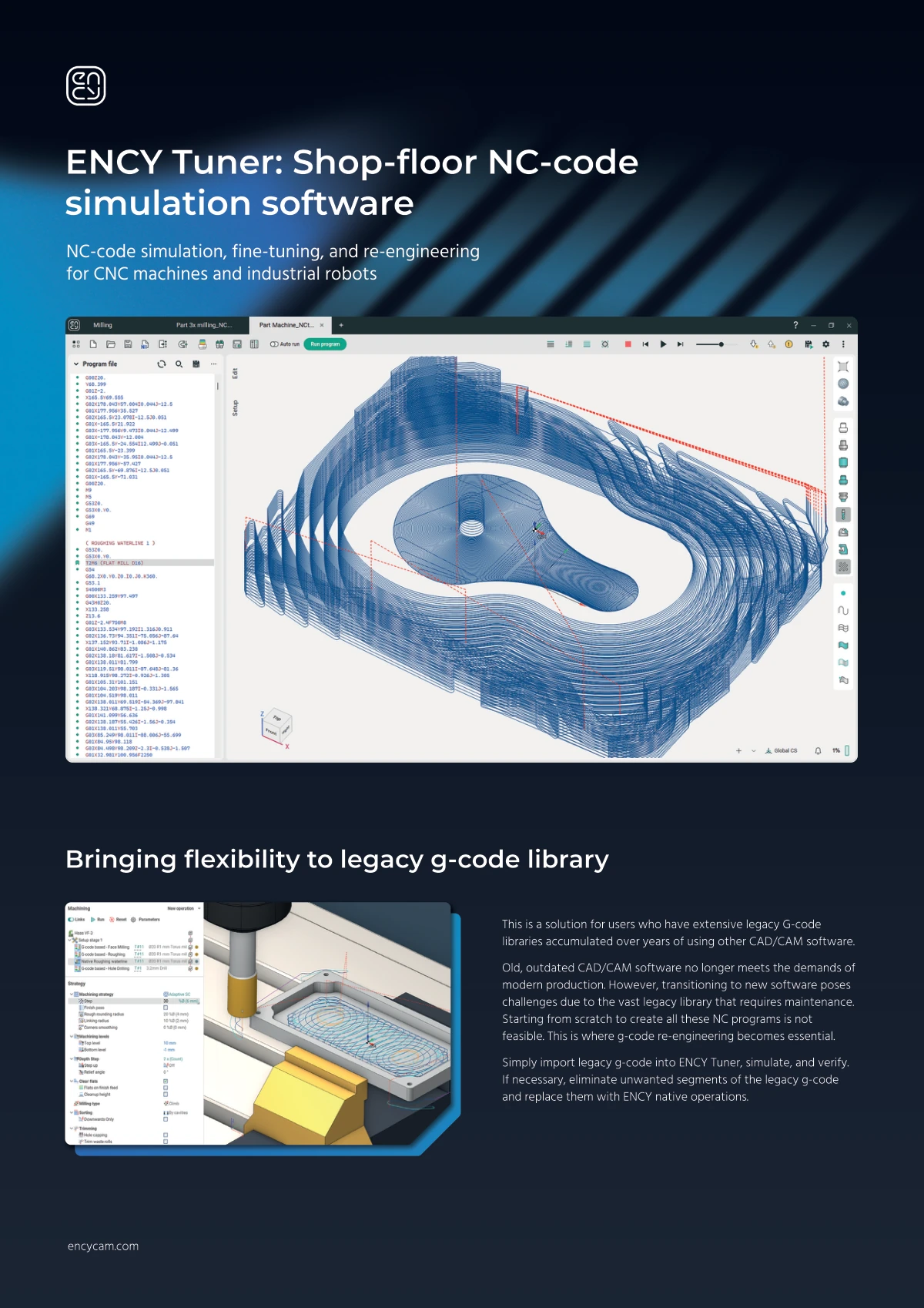
Bringing flexibility to legacy g-code library

This is a solution for users who have extensive legacy G-code libraries accumulated over years of using other CAD/CAM software.

Old, outdated CAD/CAM software no longer meets the demands of modern production. However, transitioning to new software poses challenges due to the vast legacy library that requires maintenance. Starting from scratch to create all these NC programs is not feasible. This is where g-code re-engineering becomes essential.

Simply import legacy g-code into ENCY Tuner, simulate, and verify. If necessary, eliminate unwanted segments of the legacy g-code and replace them with ENCY native operations.

A software interface showcasing a flexible legacy G-code library.

ENCY Tuner is a component of ENCY X

All our software products are built on the proprietary and technologically independent ENCY X platform, delivering unmatched CAD/CAM power, security, rich digital manufacturing content, powerful API tools and collaboration capabilities for engineers
Get started with ENCY